
Losing battery power or upgrading your car’s electrical components can cause unexpected headaches for owners of Volkswagen models like the Golf, Passat, Tiguan, or Jetta. If your factory RNS navigation system is currently locked on a “SAFE” screen and demanding a 4-digit PIN code, your infotainment unit has triggered its built-in anti-theft security lockout.
Why Do RNS Navigation Units Lock?
Volkswagen’s Radio Navigation System (RNS) communicates continuously with the car’s CAN-Bus and immobilizer networks. Whenever power is completely cut—such as during a battery replacement—or if the unit is swapped into a different vehicle, the security handshake fails. The system assumes the hardware was removed without authorization and enters a protective lock state.
Important Safety Lockout Warning: Entering an incorrect PIN twice in a row will trigger a temporary lockout, often showing “SAFE Lock” for up to 60 minutes. To clear this timer, leave your vehicle’s ignition key turned to the ON position and keep the navigation unit powered on continuously until the input screen returns.
Recovery Options for Your PIN Code
If you need to retrieve your security code, you generally have three routes:
- The Owner’s Packet: Look through the original documentation folder for a small perforated card called a “Radio Card.” In most second-hand vehicles, however, this card is long gone.
- Dealership Assistance: You can contact an authorized Volkswagen dealer, but expect to schedule an appointment, provide proof of ownership, and pay steep administrative fees.
- Online Serial Database (Recommended): The fastest and most convenient method is using a specialized platform like RadioCodeGenerator.com to instantly fetch the factory-original code using your unit’s serial number.
Step-by-Step Unlocking Guide
Step 1: Find Your Unique Serial Number
To generate the code, you need the 14-character manufacturer serial number starting with VWZ.
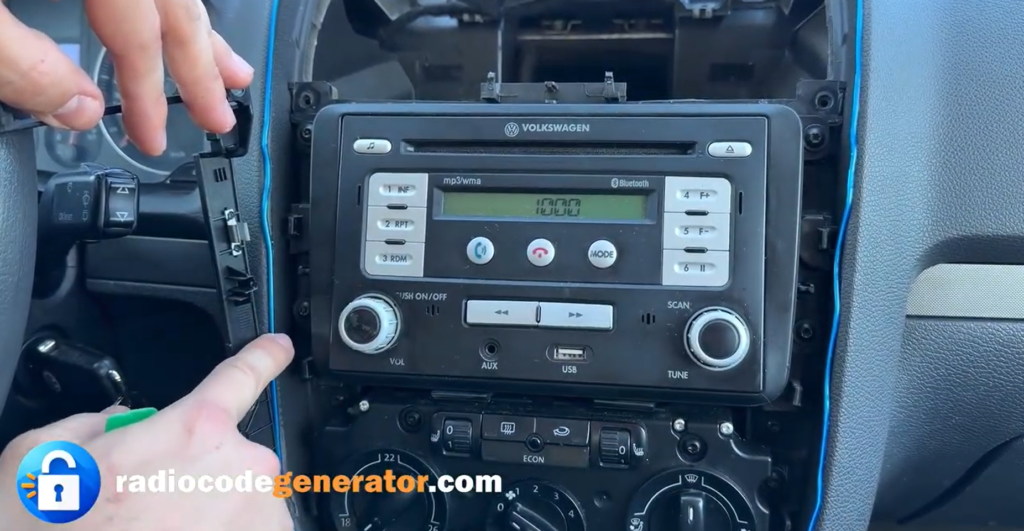
- Gently detach the plastic trim surrounding your RNS unit using a non-marring panel tool.
- Remove the four T20 Torx screws securing the device to the dashboard.
- Slide the unit forward and check the sticker labels on the metal housing, or look for the serial number stamped directly into the side of the metal chassis.
Step 2: Get Your Code Online
Head over to the Volkswagen Radio Code page on RadioCodeGenerator, input your 14-character VWZ serial string, and retrieve your official 4-digit PIN in minutes.
Step 3: Enter the PIN into Your RNS System
- For RNS 300 (Monochrome Display): Power on the unit until 1000 or SAFE appears. Use the physical preset buttons (1 through 4) beneath the screen to cycle through your digits, then press OK or push the right rotary control knob to confirm.
- For RNS 310 and RNS 315 (Touchscreen Display): Turn on the system to bring up the on-screen numeric keypad. Tap your 4-digit PIN directly onto the touchscreen interface, and then press the OK button in the bottom-right corner.
Once verified, your RNS navigation system will unlock immediately, giving you full access back to your GPS maps, audio presets, and multimedia features.