Volkswagen Radio code generator

LIVE

Retrieve your original Volkswagen radio code – enter your i serial number below.

Instant
Safe
Accurate
01 SERIAL & EMAIL
›
02 CONFIRM
›
03 CODE
Volkswagen Different brand?

Secure payment by card, Apple Pay or Google Pay · Money-back guarantee

 
🔓 Last Orders Unlocked
✓
VWZ2Z2H1177134 CODE = 0943
✓
SEZAZ2M9173417 CODE = 1257
✓
VWZAZ1G6815980 CODE = 1641
✓
VWZAZ1I8539967 CODE = 0266
✓
T00AM0517T0574 CODE = 9442
✓
SEZ1Z3L0202268 CODE = 0088
✓
VWZ2Z2H1177134 CODE = 0943
✓
SEZAZ2M9173417 CODE = 1257
✓
281151936RTO359 CODE = 1641
✓
VWZAZ1I8539967 CODE = 0266
✓
T00AM0517T0574 CODE = 9442
✓
SEZ1Z3L0202268 CODE = 0088
Simple Process

See How Easy It Is to Get Your Radio Code

Watch this quick video to see how simple it is to retrieve your unlock code — no technical skills required.

Your Unlock Code
4 5 6 2
1:31
Volkswagen Support

Volkswagen Radio FAQ: Answers & Assistance

Have questions about unlocking your Volkswagen stereo? Visit our Contact Us page or check the frequently asked questions below.

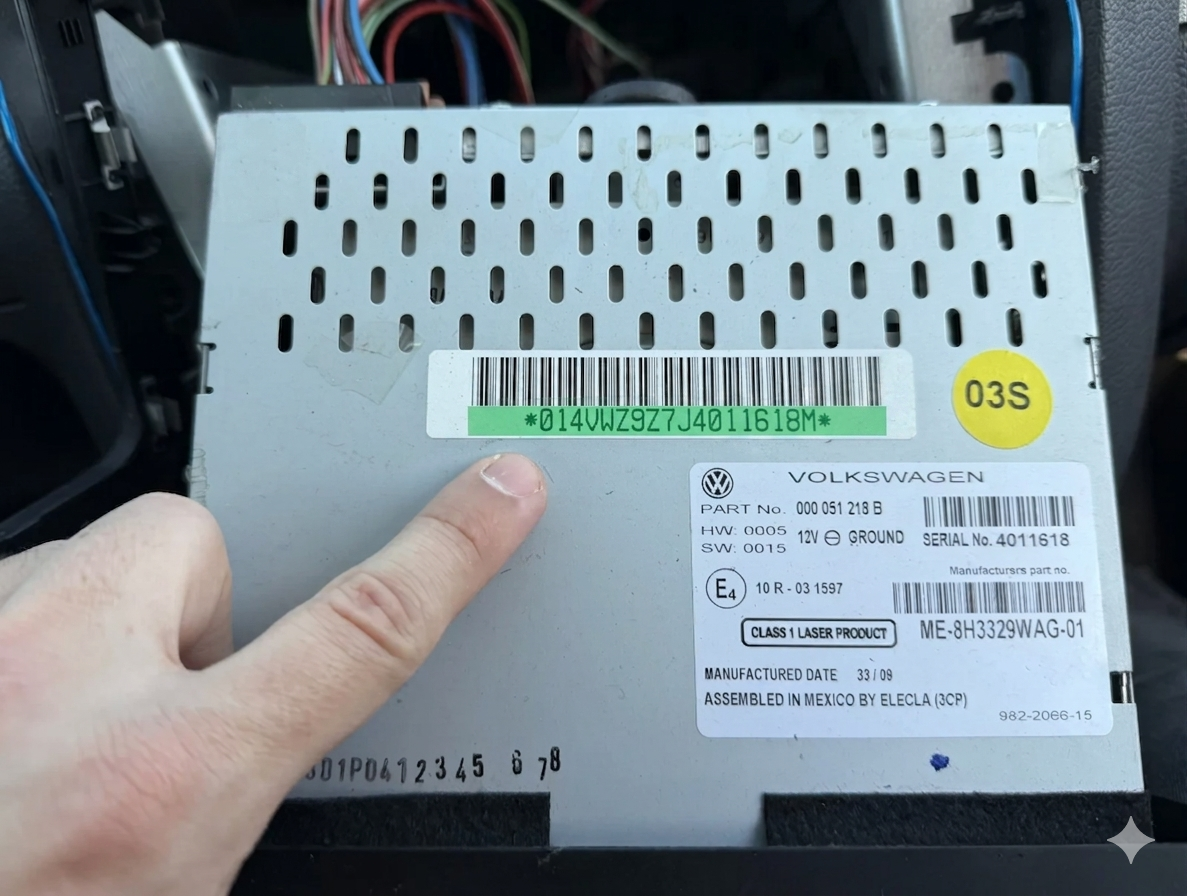
The serial number for Volkswagen units (such as RCD300, RCD310, RNS510, etc.) is printed on a sticker attached to the metal casing or engraved directly into the side/back frame. You will need to slide the radio out of the dashboard to read it.

Volkswagen serial numbers typically start with the letters "VWZ" followed by a combination of letters and numbers (for example: VWZ1Z7H0482). Make sure to enter the exact sequence displayed on the label.

Our automated Volkswagen decoding system generates your PIN code instantly on your screen and sends a confirmation copy straight to your email within minutes after order verification.

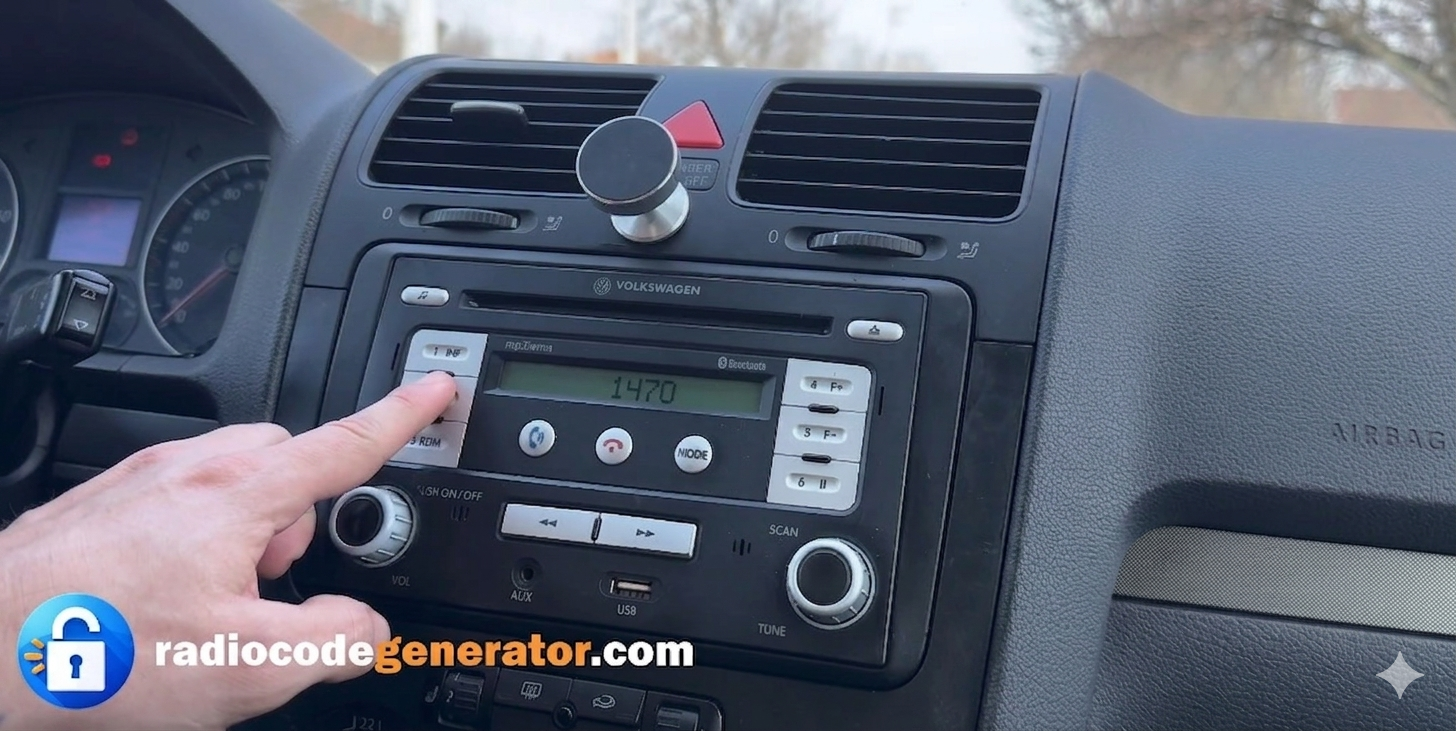
Use the station preset buttons (1 to 4) on your unit to cycle through the digits of your code, then use the right arrow or tuning knob (or press and hold the designated button) to confirm and unlock the stereo.

No, your car's VIN or vehicle documents are not required. Our system only needs the unique VWZ radio serial number printed on the device sticker.

We offer a full money-back guarantee. If your code fails to unlock the stereo, contact our support team with a short video showing the serial number label and code entry process for an instant review and refund.

How It Works

Get your radio unlock code in 3 simple steps
1
Radio Locked
2
Find Serial
3
Enter Code
⏸ Paused
Step 1
Your Radio Asks For A Code
After a battery change or power loss, your car radio gets locked and displays a PIN request screen.
Step 2
Find Your Serial Number On The Label
Look on the side or back of your radio unit for a label containing the serial number. Enter it on our website.
Step 3
Step 3
Enter The Code And Unlock Your Radio
Type the generated code into your radio and press OK. Your radio is now unlocked and ready to use!

(Click on the slider to pause autoplay)

BETA & DELTA SUPPORT

VW Beta & Delta Radio FAQ: Answers & Assistance

Have questions about unlocking your Volkswagen Beta or Delta radio? Visit our Contact Us page or check the comprehensive guide and steps below.

Finding The Serial Number For Volkswagen Beta & Delta Stereos

To recover your code, you will need the unique serial number printed or engraved on the metal casing of the unit. Follow these simple steps:

  1. Partially remove the unit: Carefully insert standard release keys into the slots on the front panel corners to unlock internal clips, then slide the vintage radio slightly out of the dashboard.
  2. No wiring removal: You do not need to disconnect any wiring plugs or power harnesses.
  3. Locate the label: Check the top, side, or back metal casing of the unit to find the official Volkswagen white sticker label or stamped serial numbers.
  4. Identify your serial number: Look for the unique serial number starting with VWZ (e.g., VWZ1Z2K1234567 or VWZZ1Z2...).

Extraction Tutorial & Serial Examples

Here is a quick tutorial to help you extract your classic VW Beta or Delta unit safely without damaging older dashboard plastics. On some older Blaupunkt or Grundig variants, the serial number might be stamped directly into the metal housing alongside the barcode label.

Pay close attention when reading characters to avoid confusing lowercase letter 'l' with uppercase 'I' or number '1', as well as letter 'O' with number '0'.

Examples of common serial numbers:

  • VWZ1Z2H5678901 (Blaupunkt variants)
  • VWZZ1Z29876543 (Grundig / Philips variants)
Volkswagen Beta & Delta Radio Serial Number Example

How To Enter The Unlock Code For VW Beta And Delta

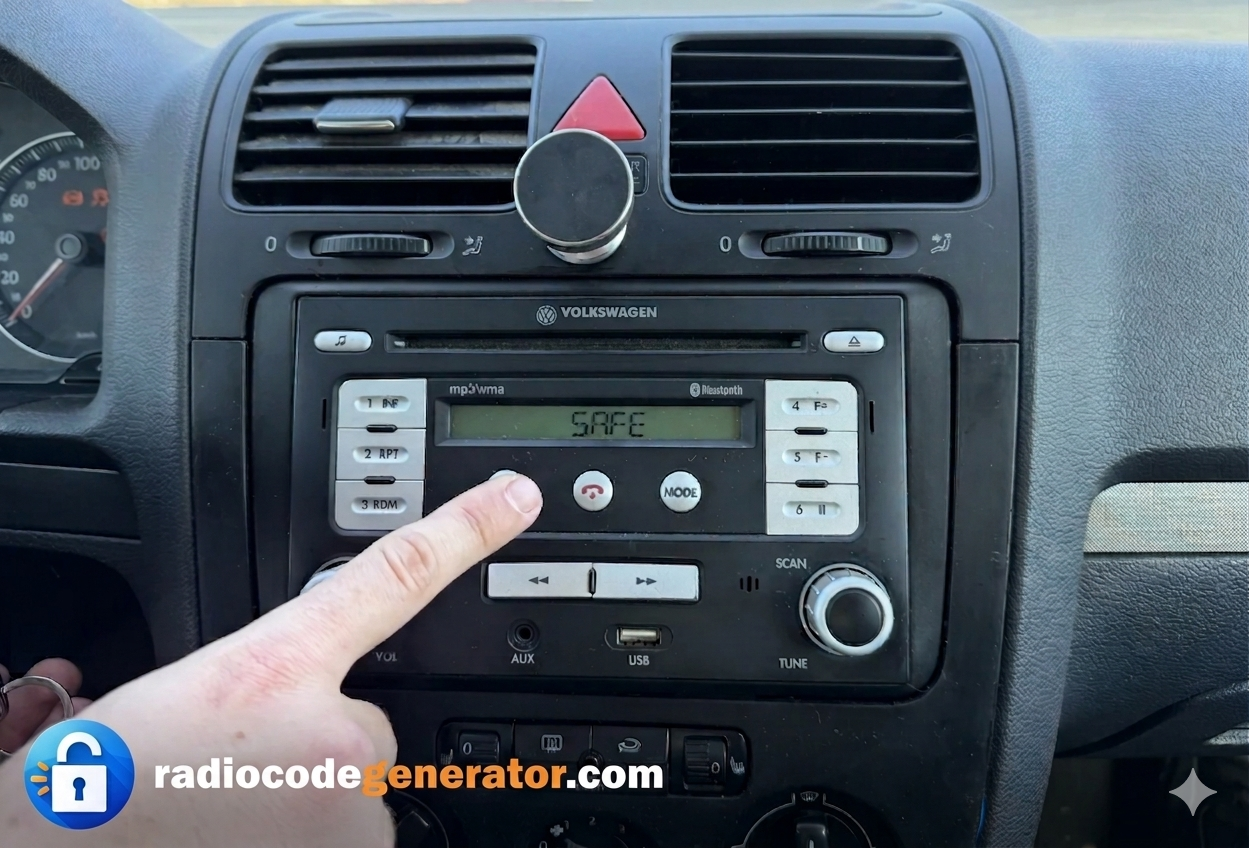
  • After turning on your classic audio system, make sure your screen displays 'SAFE' or prompts you for code entry.
  • Use the preset buttons (1 to 4) located on the front panel of the radio to input your unique 4-digit unlock code.
  • Press button 1 repeatedly to select the first digit, button 2 for the second, button 3 for the third, and button 4 for the final digit.
  • Double-check the screen display to ensure numbers match your received unlock code before confirming.
  • Once the full code is displayed, press and hold the Right Arrow / TP / TA confirmation button (depending on your exact unit version) to save it and instantly unlock your system.

Got Questions Or Need Assistance?

If you face any issues entering your code, if your vintage unit remains locked after multiple incorrect attempts, or if you need further help with your serial number, don't worry—simply CONTACT US and we will sort it out for you promptly.

For additional tips, troubleshooting advice on wait times between incorrect code entries, and step-by-step guides on vintage Volkswagen car audio systems, feel free to explore our platform.

If the code does not work or you encounter any issues, please CONTACT our support team. We are here to help you and if you are in need of more information just visit our FAQ'S page or for very useful articles visit our BLOG page.