

See How Easy It Is to Get Your Radio Code
Watch this quick video to see how simple it is to retrieve your unlock code — no technical skills required.
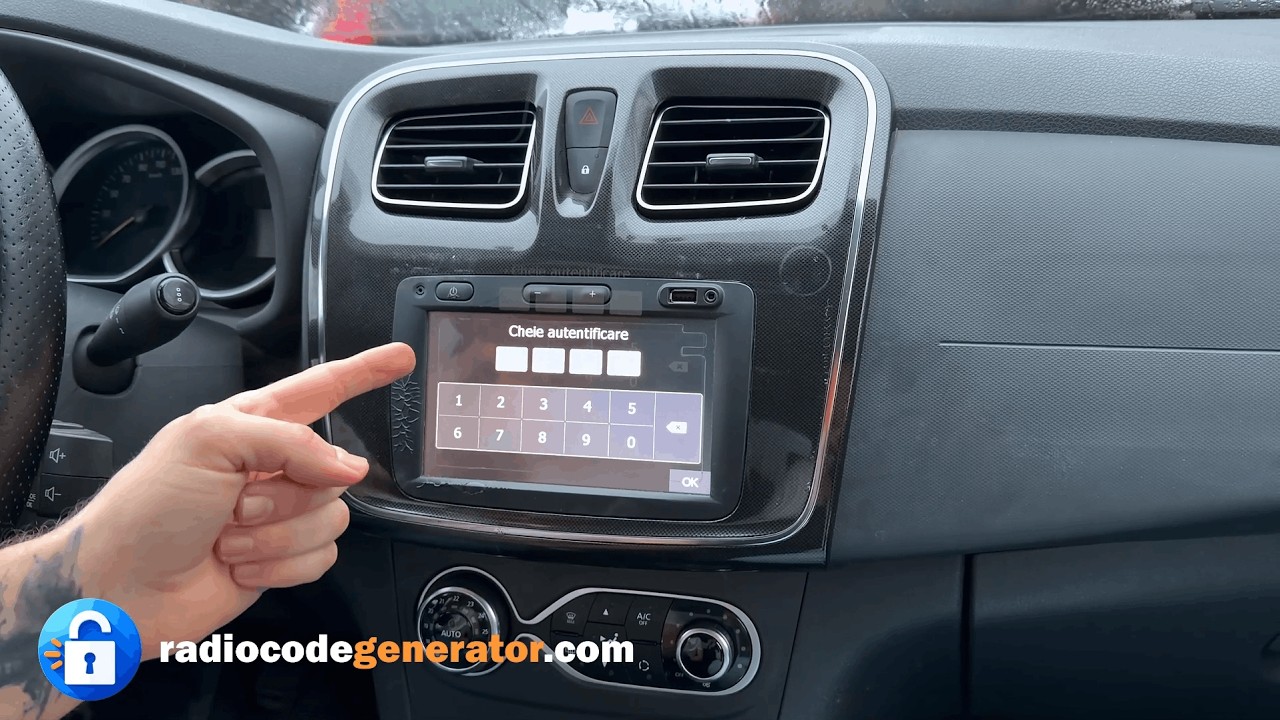
How It Works
Get your radio unlock code in 3 simple steps


(Click to pause)
Dacia Radio Unlock Service
Generating Your Dacia Radio Unlock Code Online: A Step-By-Step Guide
What You Need
You only need your Dacia radio serial number and a valid email address where you want to receive the code.
Fast 5-Step Process
- Locate your Dacia radio serial number on the rear casing label.
- Then press the button "Get your code now!"
- Now just enter the Dacia radio serial number, followed by the email address where you want to receive your code.
- The final step is to finalize the payment procedure.
- After the transaction is validated, your code will be generated and sent to you in just a few seconds.
How To Locate Your Dacia Serial Number
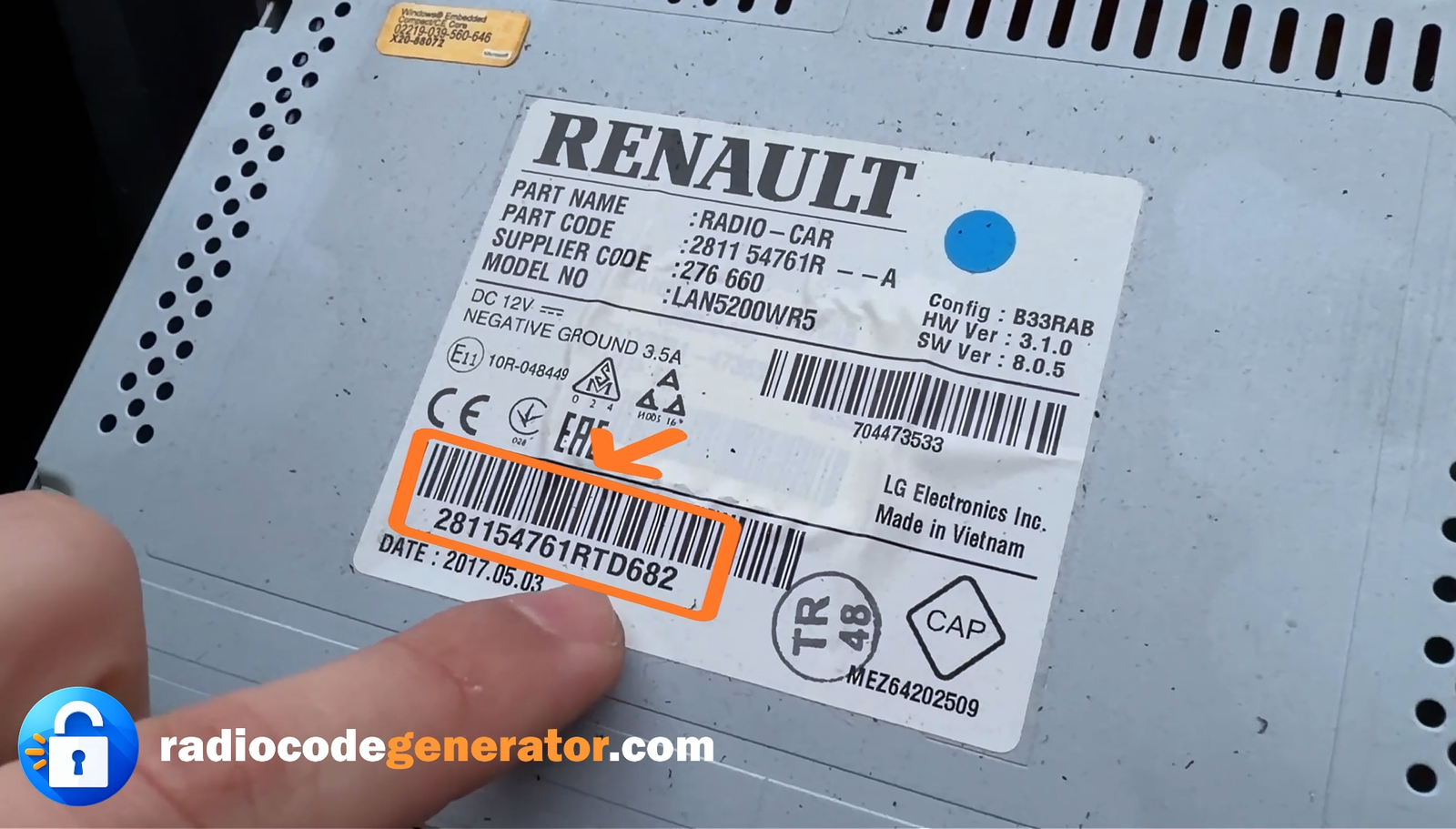
Every Dacia model has the serial number located on the label on the back of the radio. So in order to see it you have to partially remove the radio from the dashboard. The process is not a complicated one, all you need is a removal tool and a screwdriver. Start by lifting the trim around the radio that unscrew the screws. Now you can start pulling to you until you have the label on the back of the radio visible. Be aware, you don't have to disconnect any wires in the process.
We recommend that you take photos of both labels before reassembling the radio.
The Dacia serial number is formed form a letter and three numbers. Sometimes the serial number can be part of a larger serial number, you need only the four elements on the end.
Dacia serial number Examples: D682 or 281154761RTD682
How To Enter The Dacia Unlock Radio Code
Let’s take as example our code C878.
- Make sure that your radio is turned ON.
- Use the preset buttons 1 - 4 to enter the code. Example: In our case the first digit is a 8, press button 1 for eight times.
- Continue the same for the remaining numbers that form your code.
Everything You Need To Know About Dacia Radio Unlock Codes
What Is The Dacia Radio Unlock Code?
The Dacia radio unlock code is a unique numeric sequence that is required to unlock the security feature on Dacia car radios. This code is designed to deter theft and ensure the protection of the radio unit. When a Dacia radio is locked, it typically displays a “CODE” or “WAIT” message on the screen. To unlock the radio and regain access to its functions, the correct unlock code must be entered correctly. The code is specific to each radio unit and is obtained using the radio's serial number.
Retrieving Your Dacia Radio Unlock Code
The first step in unlocking your Dacia radio is to retrieve or generate the unlock code. To do this, you will need the radio's serial number. The serial number can usually be found on a sticker or label attached to the radio unit itself (on the back or the side of the radio unit) or in the vehicle's manual. Once you have obtained the serial number, you can proceed to retrieve the unlock code.
Can I Unlock My Dacia Radio Without The Unlock Code?
Unfortunately no, it is generally not possible to unlock a locked Dacia radio without the correct unlock code. The code is required to deactivate the security feature and regain access to the car radio’s functions.
What If I Cannot Find The Serial Number For My Dacia Radio?
The serial number for your Dacia radio is typically located on a sticker or label attached to the radio unit (on the side or the back of the unit) or in the vehicle's documentation. If you cannot find it, contact a Dacia dealer or authorized service center for further assistance in retrieving the serial number.
Got Questions Or Need Assistance?
In case you loose your stereo unlock code or maybe you face any other issue or problem, don't worry, you can CONTACT us any time, send your serial number and the email address used to make the order and we will give you your code once again with no costs whatsoever. For additional tips and more useful information about car stereos and car radio unlock codes you can always visit our FAQ page, here you can find more useful information and answers to your questions!