
Opel Radio PIN code generator
Recupere su código de radio Opel original de forma segura utilizando únicamente la radio. i número de serie Con nuestro servicio online rápido y seguro. Compatible con la mayoría de los sistemas de infoentretenimiento de Opel, recibirá su código de activación en minutos.
- Guía de desbloqueo rápido
- Pago seguro
- Disponibilidad permanente del código de radio
- Soporte al cliente 24/7
Supported Formats


Cómo funciona
Obtén tu código de desbloqueo de radio en 3 sencillos pasos
(Haga clic en el control deslizante para pausar la reproducción automática)
Cómo localizar el número de serie de su Opel
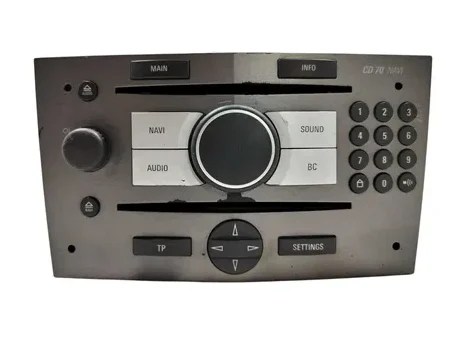
Opel CD 70 Navi
- Para encontrar los detalles necesarios para su códigoDebes quitar la radio del salpicadero.
- Insertar 4 radios removal keys en los orificios de las esquinas del panel frontal.
- Extraiga la unidad con cuidado, tirando de ella hacia afuera.
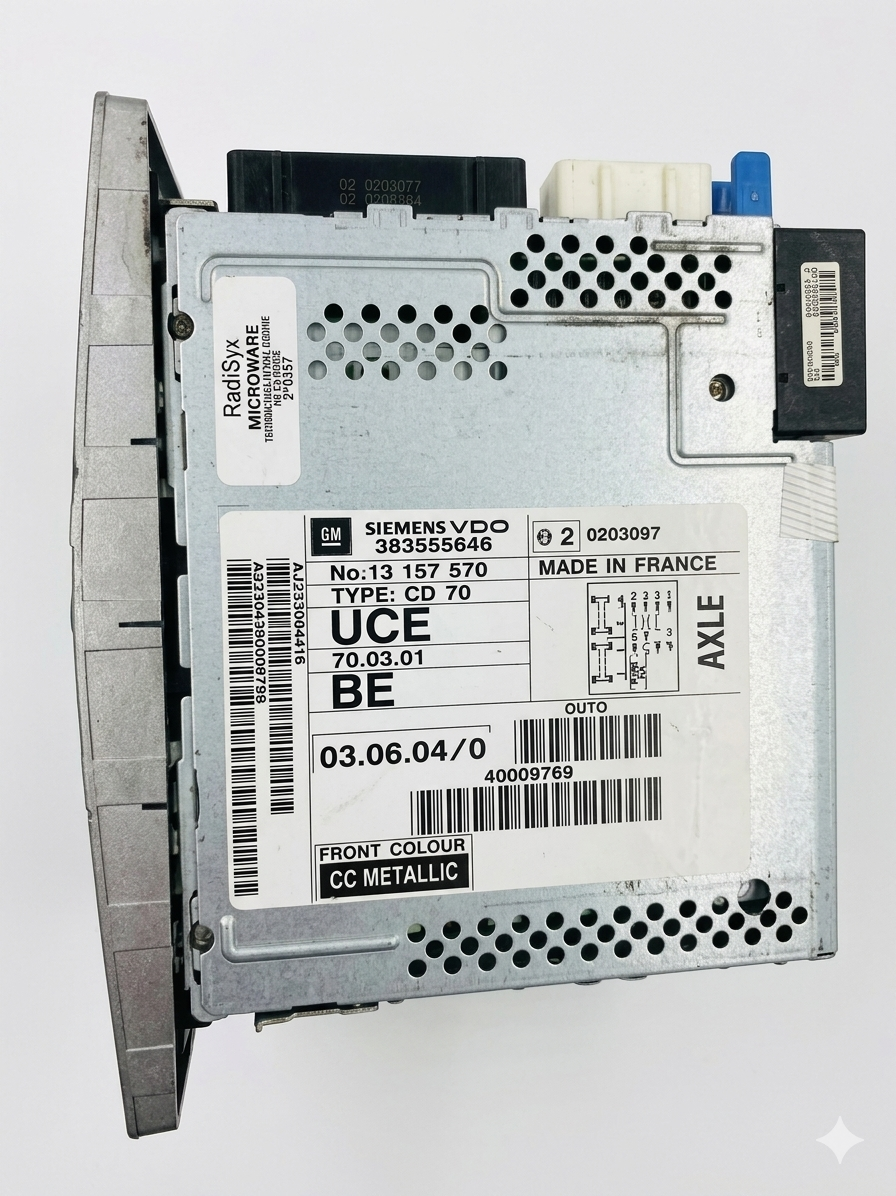
- Fíjese en la etiqueta técnica situada en el lateral o en la parte superior de la carcasa metálica.
- Necesitarás el Número de serie (que comienza con GM) and the Part number para generar tu código.
Número de serie (que comienza con GM) CM0150B1234567, GM007051234567,
7 612 033 150
Información: En las unidades Siemens VDO o Blaupunkt, el número de serie también está grabado directamente en la carcasa metálica de uno de los lados, lo cual resulta útil si la etiqueta de papel está dañada o falta.
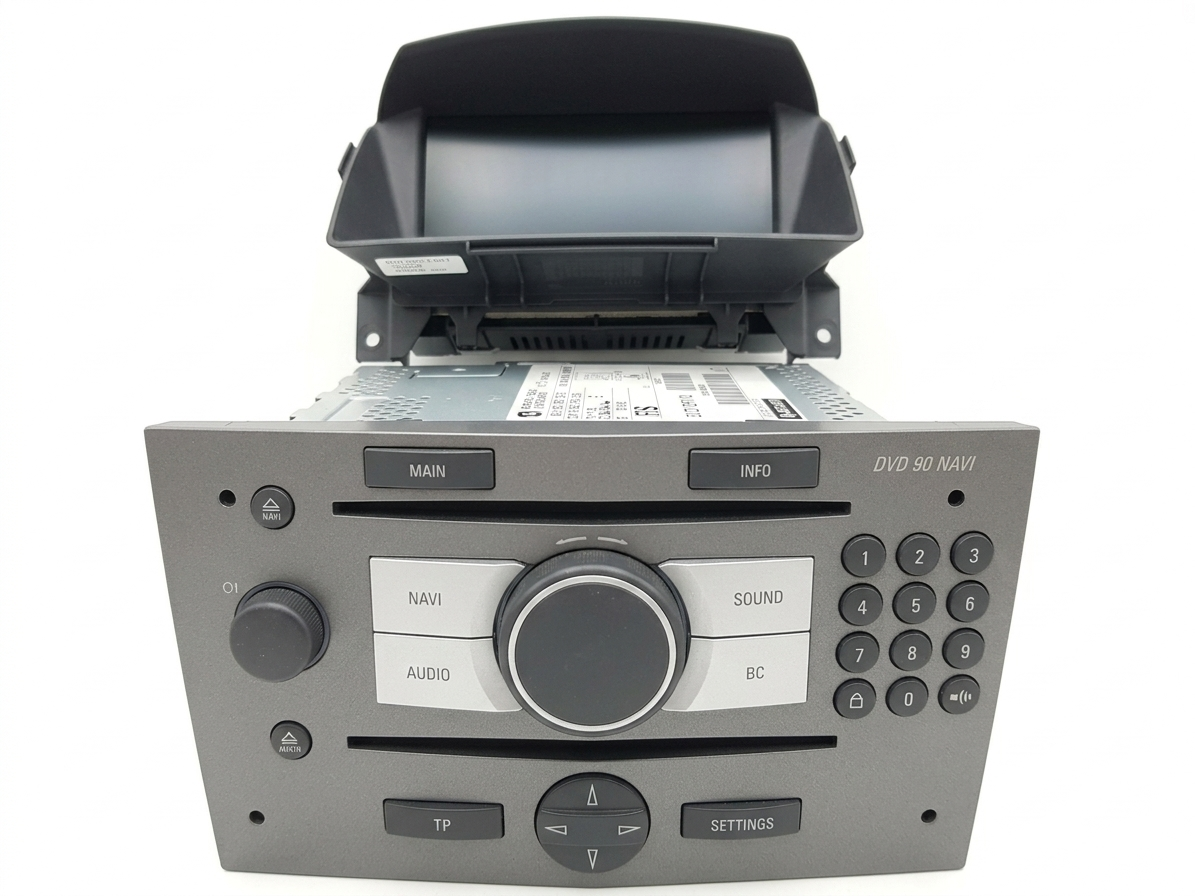
Opel DVD 90 Navi
- Para encontrar los detalles necesarios para su códigoDebes quitar la radio del salpicadero.
- Insert 4 radio removal keys en los orificios de las esquinas del panel frontal.
- Fíjese en la etiqueta técnica situada en el lateral o en la parte superior de la carcasa metálica.
- Necesitarás el Número de serie (que comienza con GM) para generar tu código.
7612033150
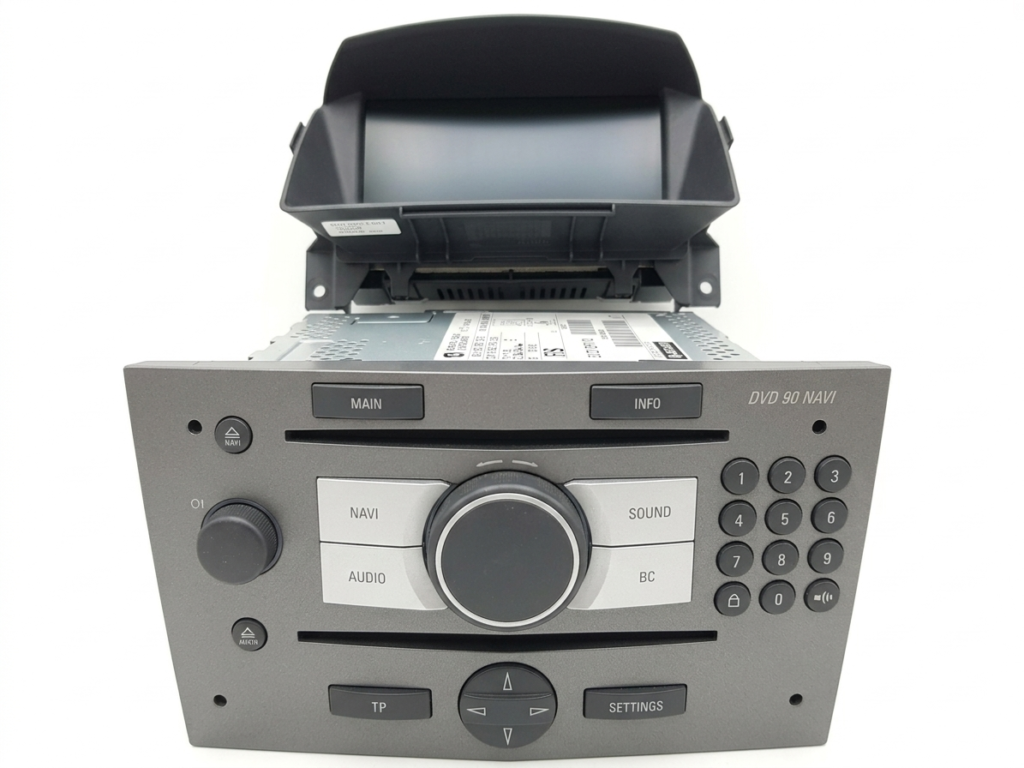
Información: Igual que el CD 70, the DVD 90 número de serie Por lo general, va grabado directamente en el marco de metal, lo que permite leerlo incluso si la etiqueta de papel está rota.
Opel NCDR Series (1100 / 1500 / 2011)
- Para encontrar los detalles necesarios para su código, debe retirar la radio del panel de control.
- Inserte las llaves de extracción de la radio en las ranuras del panel frontal.
- Extraiga la unidad con cuidado, tirando de ella hacia afuera.
- Fíjese en la etiqueta técnica situada en el lateral o en la parte superior de la carcasa metálica.
- Necesitarás el Número de serie (que comienza con GM) para generar tu código.
Opel CDC 40 Opera
- Para encontrar los detalles necesarios para su código, debe retirar la radio del panel de control.
- En los orificios de las esquinas del panel frontal.
- Extraiga la unidad con cuidado, tirando de ella hacia afuera, y desconecte el mazo de cables.
- Ahora en la pantalla debería aparecer la información necesaria para generar su código.
- Localice la etiqueta del fabricante pegada en el lateral o en la parte superior del marco metálico.
- Necesitarás el Número de serie (que comienza con GM) para generar tu código.
Para localizar el número de serie de estas unidades de navegación clásicas de Opel (CD 70, DVD 90, NCDR series, and CDC 40 Opera), siempre tendrás que sacar la radio del salpicadero:
Paso 1: Simplemente inserte 4 llaves de liberación into the holes on the front panel corners.
Paso 2: Tire de la unidad hacia adelante con cuidado.
Paso 3: Mira en el lateral de la unidad de radio. Allí encontrarás tu número de serie. impreso en la pegatina principal o estampado en el metal (normalmente comenzando con ‘GM’ seguido de 12 caracteres).
Número de serie (que comienza con GM) CM0150B1234567, GM007051234567,
7 612 033 150
En la etiqueta en la parte trasera de la radio. Después de encontrar el número de serie, puede continuar con la generación del código.
Si has perdido el código de desbloqueo de tu estéreo Opel o ves el mensaje "SAFE" / "CODE" en la pantalla, ¡no te preocupes! Puedes CONTACTO Contáctanos en cualquier momento. Solo envíanos el número de serie de tu radio (que comienza con "GM") y la dirección de correo electrónico que usaste para realizar el pedido, y te enviaremos nuevamente el código de tu radio Opel. sin costos lo que.
Para obtener más consejos, tutoriales de extracción paso a paso e información adicional sobre los códigos de desbloqueo de la radio del coche Opel, puede visitar nuestra página. PREGUNTAS FRECUENTES Para obtener más consejos, tutoriales de extracción paso a paso e información adicional sobre los códigos de desbloqueo de la radio del coche Opel, puedes visitar nuestra página.