
Leave a Comment / Mercedes-Benz Audio Systems: Unlock and Decode / By Radiocodegenerator.com
Is your Mercedes-Benz displaying “CODE” o “ENTER CODE” on the dashboard? This usually happens after a battery change, a blown fuse, or a trip to the mechanic. If you own a classic or modern-classic Mercedes equipped with a Becker unit, there’s no need to panic or drive to a dealership.
In this comprehensive guide, we will walk you through the simple process of retrieving your Mercedes Becker radio code using only the device’s serial number. You can have your music back in under 5 minutes.
Why is my Mercedes Radio Locked?
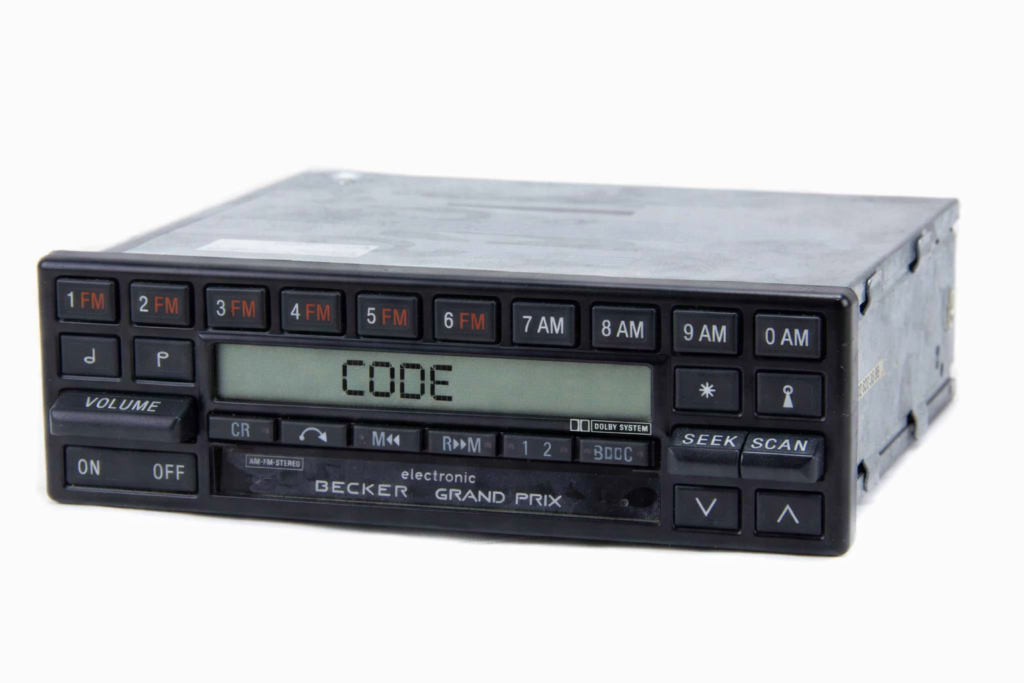
Mercedes-Benz vehicles use a sophisticated anti-theft system. When the power supply to the radio is interrupted, the unit locks itself to prevent unauthorized use. To reactivate it, you need a specific 4-digit or 5-digit PIN code unique to your radio’s serial number.
Step 1: How to Locate Your Becker Serial Number
Unlike some newer cars, Mercedes Becker serial numbers are not displayed on the screen via a button combination. You will need to see the label on the radio’s chassis.
How to remove the unit:
- Use Radio Removal Keys: Most Becker units (like the Audio 10 or 30) require two thin “keys” inserted into the small slots at the bottom corners of the radio.
- Release and Pull: Once the keys click into place, gently pull the radio towards you.
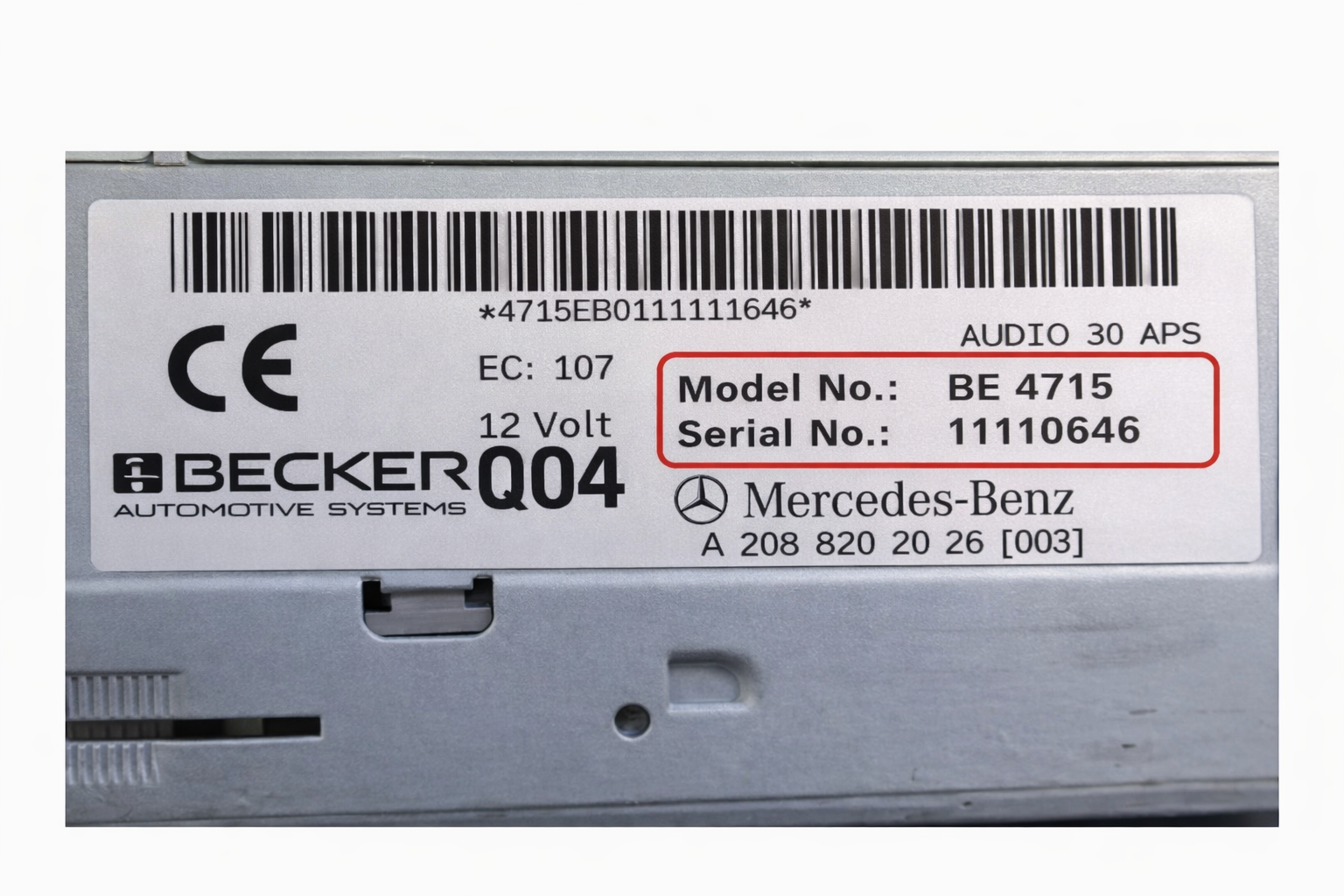
- Check the Label: Look for a white sticker or an engraving on the metal side/top of the unit.
What to look for: A Mercedes Becker serial number usually starts with a letter followed by 7 digits, or it is a long string where you need the Model Number (e.g., BE1492) and the Serial Number (e.g., Y1234567).
Example: Model: BE 6021 / Serial: 45012345
Step 2: Get Your Mercedes Unlock Code Online
Once you have the Model and Serial numbers, you don’t need to wait for a dealership appointment.
- Navigate to the [ Mercedes Radio Code Retrieval ] page on Radiocodegenerator.com.
- Enter your Serial Number y Model Number in the provided fields.
- Provide your email address where you want the code delivered.
- After a quick and secure checkout, your unique PIN will be generated and sent to your inbox instantly.
Step 3: How to Enter the Code Correctly
Entering the code on a Becker unit can be tricky because they don’t have a “0-9” keypad in most cases.
For Units with Buttons 1-4, 1-6, or 1-10:
- Method A (Direct Entry ): Press the numbered buttons corresponding to your code. For example, if your code is 3251, press button ‘3’, then ‘2’, then ‘5’, then ‘1’.
- Confirmation: On many Becker models, the radio will unlock automatically as soon as the last digit is entered. On others, you may need to press the “SC”, “OK”, or the Right Arrow button to confirm.
For “Audio 5″ or “Sound 5” Units:
- Utilice el tuning knob or the Up / Down arrows to select each digit, then press the knob or the “OK” button to move to the next space.
Frequently Asked Questions (FAQ)
- My radio shows “WAIT” – What happened?
If you enter the wrong code multiple times, the radio enters a lockout period. You must leave the radio turned ON (with the ignition in position 1) for 60 to 90 minutes. Once the timer expires, the “CODE” prompt will reappear.
2. Is the code based on my VIN?
While the VIN (Vehicle Identification Number) can sometimes work at a local dealer, it is unreliable if the radio was ever replaced in the past. Using the Serial Number from the radio itself is 100% accurate.
3. Which Becker models are supported?
Our database covers almost all Mercedes Becker units, including:
- Audio 10 / Audio 30 / Audio 30 APS
- Becker Mexico, Grand Prix, and Indianapolis
- Sound 5 / Sound 10
- Becker Exquisit and Special
Ready to get your Mercedes back to its best?
Don’t drive in silence. Visit RADIOCODEGENERATOR.COM and get your Mercedes Becker Radio Code now!