
If your Dacia radio suddenly shows “ENTER CODE” after a battery change or repair, you’re dealing with the built-in anti-theft system. The good news: you don’t need a dealer visit. You can recover your radio PIN code online in just a few minutes.
This guide walks you through the fastest method, whether you’re using a Media Nav, Media Nav Evolution, MP3, or Bluetooth radio.
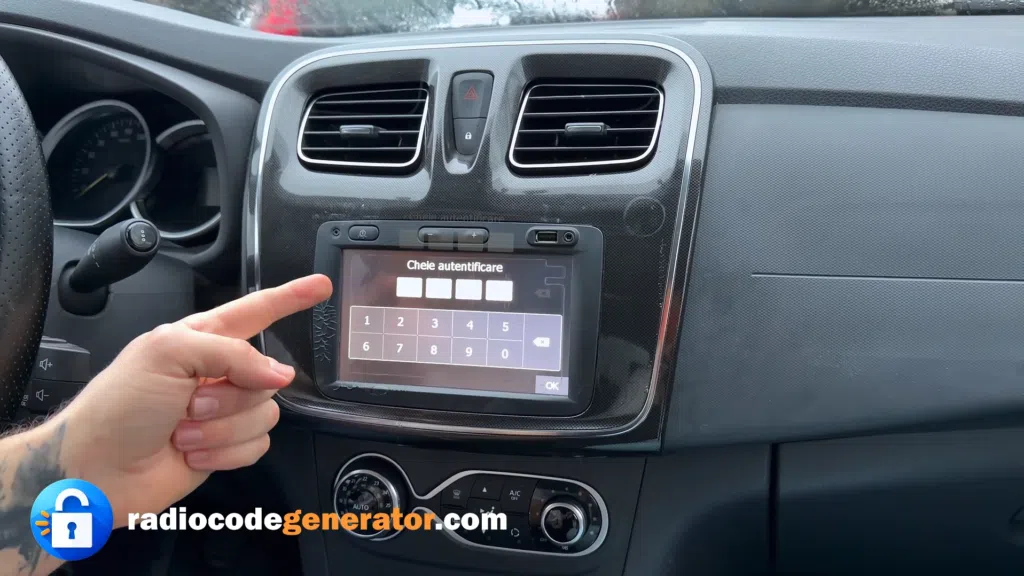
Why Your Dacia Radio Is Locked
Dacia radios automatically lock when power is interrupted. This usually happens after:
- Battery replacement
- Battery drain or disconnection
- Electrical work or servicing
To unlock it, you need the original PIN code, which is generated from your radio’s unique identifier.
Step 1: Get the Pre-Code (Essential)
Before anything else, you need the Pre-Code (short format like A123). This is the key to generating your unlock PIN.
- Quick Method (Media Nav / Media Nav Evolution)
- Turn on the unit
- Press and hold Settings / Setup
- Open the hidden service menu
- Find the Pre-Code (e.g., A123)
2. Alternative Method (All Radios)
- Remove the radio unit from the dashboard
- Check the label on the casing
- Locate the serial or Pre-Code
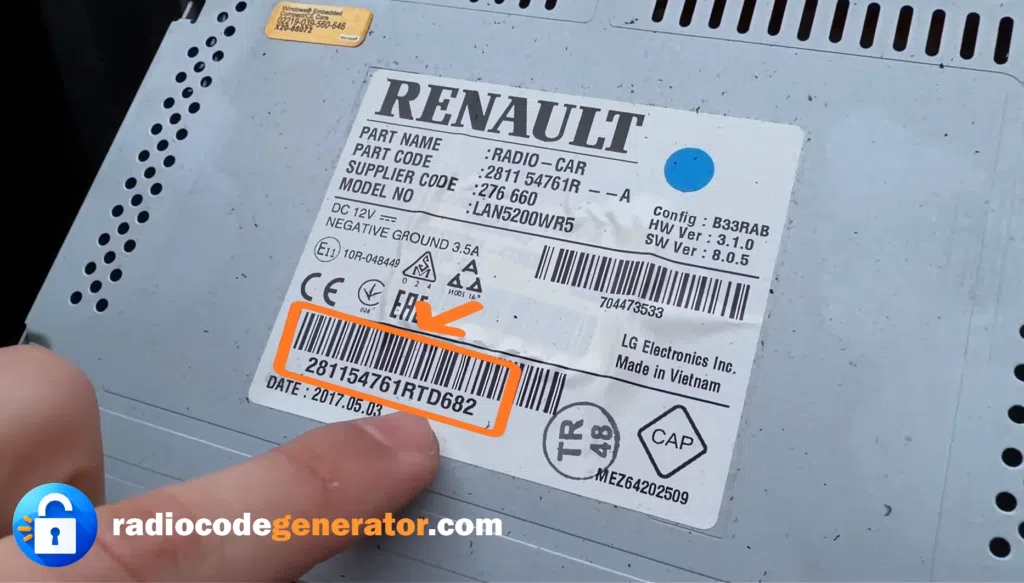
This method works for all Dacia systems, including older MP3 and Bluetooth units.
Step 2: Generate Your PIN Code Online
Once you have the Pre-Code, the rest takes seconds.
- Go to: https://radiocodegenerator.com/dacia-radio-pin-code/
- Click “Get Your Code Now”
- Enter your Pre-Code
- Instantly receive your 4-digit unlock code
No waiting, no software, no technical steps.
Step 3: Unlock the Radio
- Turn on the radio
- Wait for the code entry screen
- Enter the 4-digit PIN
- Confirm (OK / Enter)
If the code is correct, the radio unlocks immediately.
Supported Dacia Models
This method works with all major Dacia vehicles:
- Logan (1 & 2)
- Sandero & Sandero Stepway
- Duster
- Lodgy
- Dokker
- Jogger
- Spring
Supported Radio Types
Compatible with most factory-installed units:
- Media Nav
- Media Nav Evolution
- Standard MP3 radios
- Bluetooth-enabled radios
Common manufacturers include Continental, Bosch, LG, and Daewoo.
Common Mistakes to Avoid
- Entering the wrong Pre-Code (even one character off will generate a wrong PIN)
- Repeated wrong attempts (can lock the radio temporarily)
- Turning off the radio during SAFE mode wait time
If locked, leave the ignition on for 30–60 minutes before retrying.
Final Thoughts
Unlocking your Dacia radio is a simple process when you know where to look. With the correct Pre-Code and an online generator, you can restore your audio system in under a minute—no tools or dealership required.
👉 Start here: https://radiocodegenerator.com
Get your radio back up and running quickly and hassle-free.