
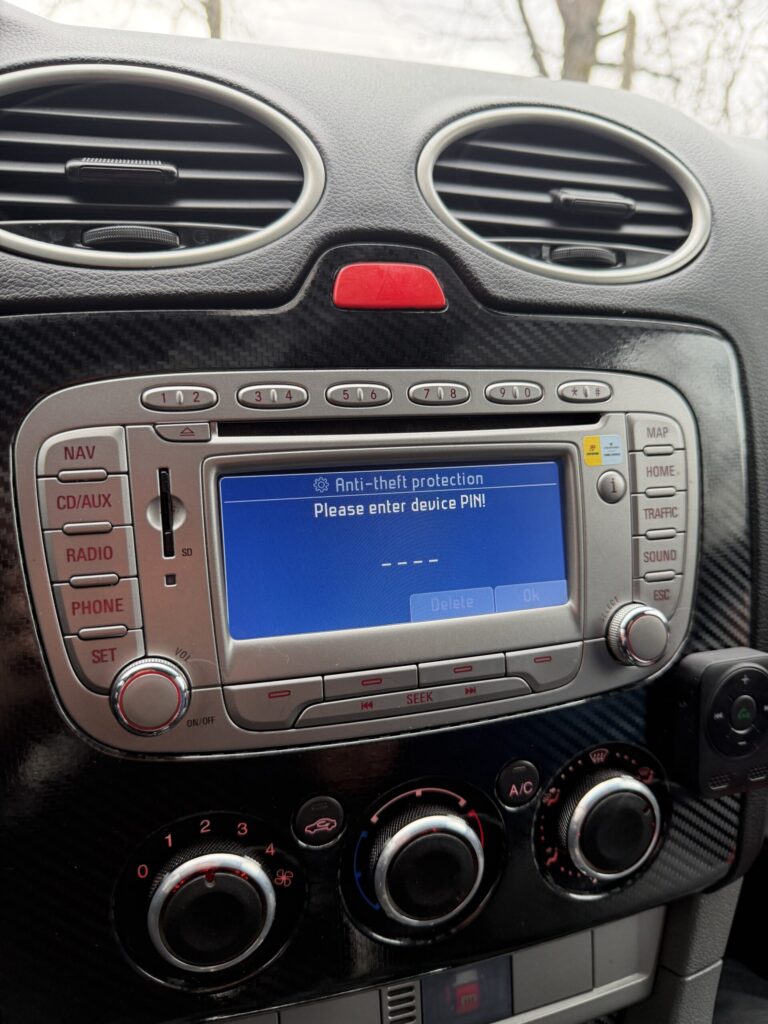
Did you recently change your car battery or have a repair done, only to find your Ford TravelPilot NX display screaming “ENTER CODE”? Don’t panic, and most importantly, don’t start guessing codes! In this guide, we’ll show you exactly how to recover your radio code safely using your serial number and reliable online tools.
1. Why is your radio asking for a code? (Anti-Theft Mode)
Most Ford units, especially the premium ones manufactured by Blaupunkt, feature an anti-theft security system. This system triggers whenever the power supply is interrupted. The radio “assumes” it has been removed from the vehicle and requires a unique 4-digit security code to become functional again.
2. The Golden Rule: Finding the Serial Number
Without the serial number, generating a code is impossible. For the TravelPilot NX model (the one with the large navigation screen), the serial number isn’t always easy to find on the display.
- The Button Method: Try pressing and holding buttons 1 and 6 simultaneously. if the serial number (usually starting with BP or C7) doesn’t scroll across the screen, you’ll need to use the physical method.
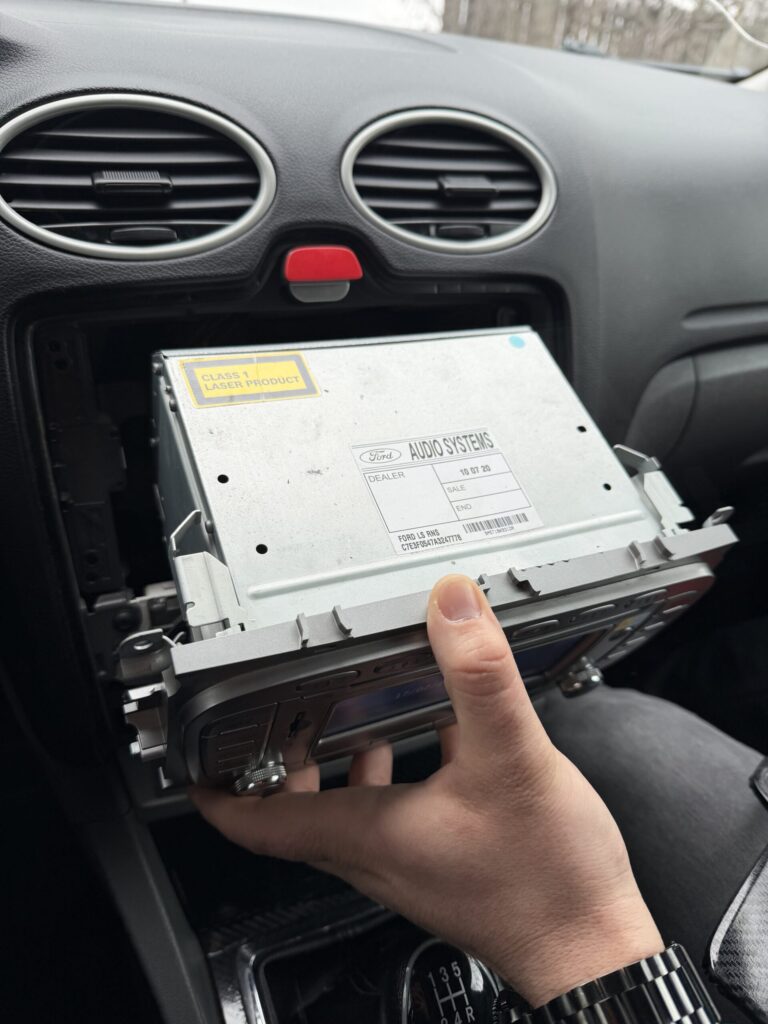
- Removing the Unit: You will need 4 radio release keys. Once the unit is slid out, look for the sticker on the side or back. Look for codes starting with:
- BP… (e.g., BP881…)
- C7… (e.g., C7E3…)
- 815… or 881…
Expert Tip: Take a clear photo of the sticker with your phone. One wrong digit means the generated code won’t work!
3. How to Generate Your Code on Radiocodegenerator.com
Once you have the serial number (e.g., BP051271234567), getting your code is an instant process on Radiocodegenerator.com.
The Workflow:
- Select the Right Section: Choose the category for Blaupunkt or Ford TravelPilot.
- Enter the Serial: Type in your serial number exactly as it appears on the sticker (no spaces).
- Check the Model: Ensure you are using the generator for BP/C7 types, not the one for standard Ford “V” or “M” series, as the algorithms differ.
- Get Your Code: Follow the site’s steps, and your 4-digit code will be provided.
4. How to Correctly Enter the Code
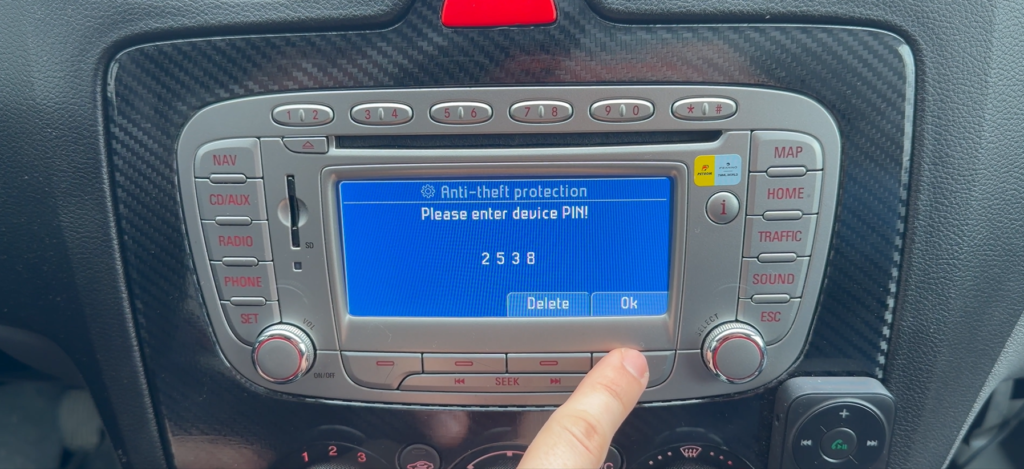
Now that you have the code, follow this standard Ford procedure to activate the unit:
| Step | Action | Details |
| 1 | Power On | Turn on the radio until you see “CODE” or “0000”. |
| 2 | Key 1 | Press repeatedly until the first digit of your code appears. |
| 3 | Keys 2-4 | Repeat the process for the remaining three digits. |
| 4 | Confirm | Press Key 5 (or the center OK button) to confirm and unlock. |
⚠️ A Word of Caution!
If you enter the wrong code too many times, the unit will display “WAIT”. You will have to leave the ignition on and the radio powered for up to 60 minutes before you can try again. After 10-13 failed attempts, the radio may become permanently LOCKED.
Conclusion
Recovering your Ford TravelPilot NX code is straightforward if you have the correct serial number. By using a service like Radiocodegenerator.com, you avoid expensive trips to the dealership.
Did you get your music back? If you’re having trouble pulling the unit out of the dashboard, leave a comment below and we’ll help you out!