
Did you recently change your car battery or have your car serviced, and now your Ford radio is displaying the “ENTER CODE” message? Don’t panic! This is a standard security measure, and unlocking it is much simpler than you think.
In this guide, we will show you how to recover your code in just a few minutes using the specialized services at RadioCodeGenerator.com.
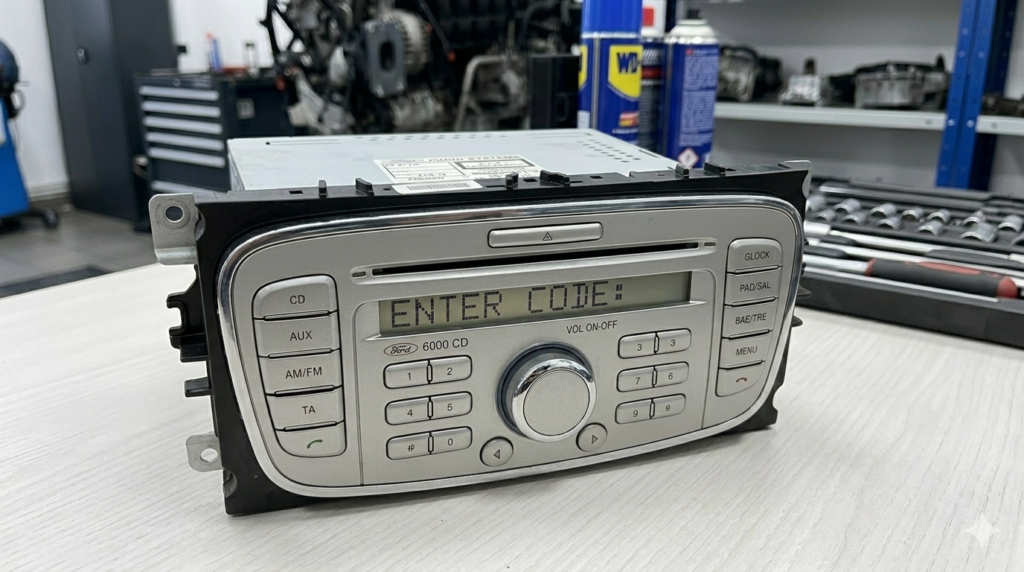
Step 1: Find the Radio’s Serial Number
To generate the correct code, we need your radio’s unique serial number. There are two main methods to find it:
- METHOD A: The button combination ( Easiest )
- Turn on the radio.
- Press and hold buttons 1 and 6 simultaneously for a few seconds.
- Various information will scroll across the screen. Look for a serial number starting with the letter V or M, followed by 6 digits (for example: V123456 or M123456).
- METHOD B: Removing the radio
If the button method doesn’t work, you will need to remove the unit from the dashboard using special radio removal keys. The serial number is located on the white label stuck to the metal casing of the radio.
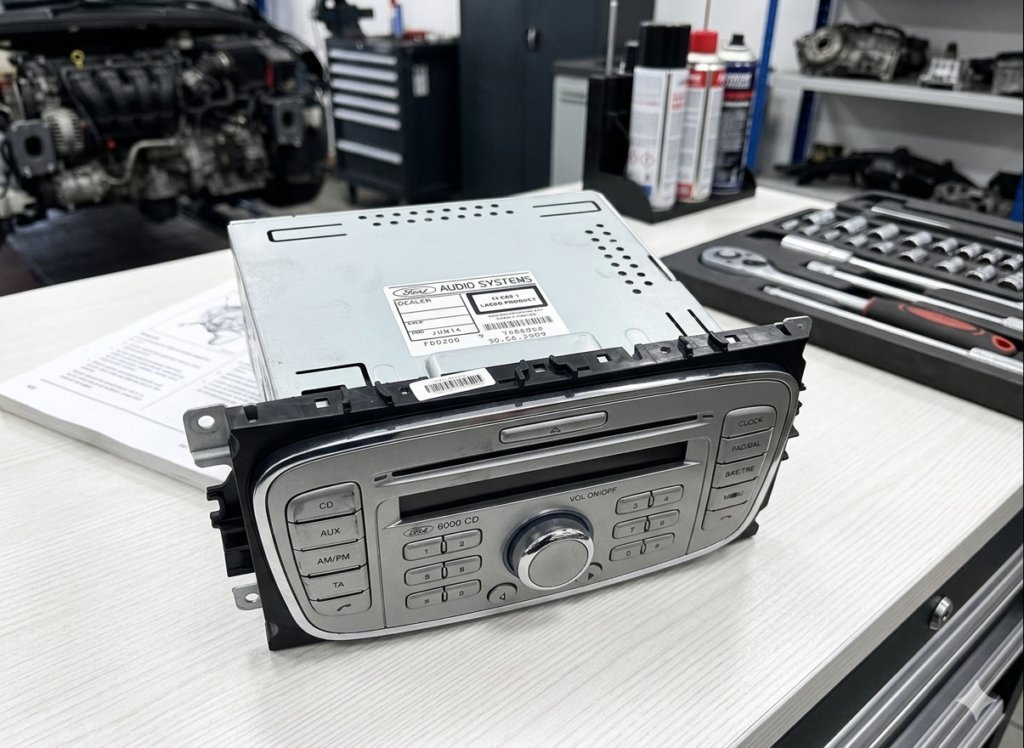
Step 2: Generating the Unlock Code
Once you have the Serial Number, all you need to do is access our dedicated platform:
- Visit: https://radiocodegenerator.com/ford-radio-code-unlock/
- Enter Serial: Fill in the corresponding field with the serial number identified in the previous step.
- Get your code: The automated system will generate your unique 4-digit code.
Why use RadioCodeGenerator? Because it is a fast, secure, and much cheaper solution than visiting an official dealership, where the process can take days.
Step 3: How to Enter the Code into the Ford 6000 CD Unit
After you have obtained your code (let’s assume it is 5732), follow these steps to enter it:
- Press button 1 repeatedly until the first digit of the code appears (5).
- Press button 2 repeatedly for the second digit (7).
- Press button 3 repeatedly for the third digit (3).
- Press button 4 repeatedly for the fourth digit (2).
- Important: Once the correct code appears on the screen, press button 5 (or the center button on some models) to confirm.
Your radio should start instantly!
Beware of Errors!
If you enter the wrong code too many times, the screen may display:
- LOCKED 10: You have only one attempt left. Press and hold button 6 to try one last time.
- LOCKED 13: The unit is permanently locked and requires hardware intervention.
Useful Tip: Always double-check the serial number before generating the code to avoid unnecessary errors.
Conclusion
Don’t let silence take over your car. With the help of RadioCodeGenerator.com, the unlocking process for a Ford 6000 CD is a task anyone can handle at home or in the parking lot.
Need help? Access the Ford unlock section now and get your favorite music back!