
Have you recently encountered the “Unit Locked” message on your car’s screen after a battery change or a service repair? Don’t panic! This is a standard anti-theft security measure for Nissan infotainment systems.
In most cases, the solution is much simpler than an expensive trip to the dealership. In this guide, we will show you how to recover the unlock code—with a primary focus on Nissan Daewoo units—using a reliable online generator.
Step 1: Identifying the Locked Unit
The first thing you’ll see on your dashboard is the lock screen. This is where many drivers start searching for the car manual, where, unfortunately, the security code is often missing.
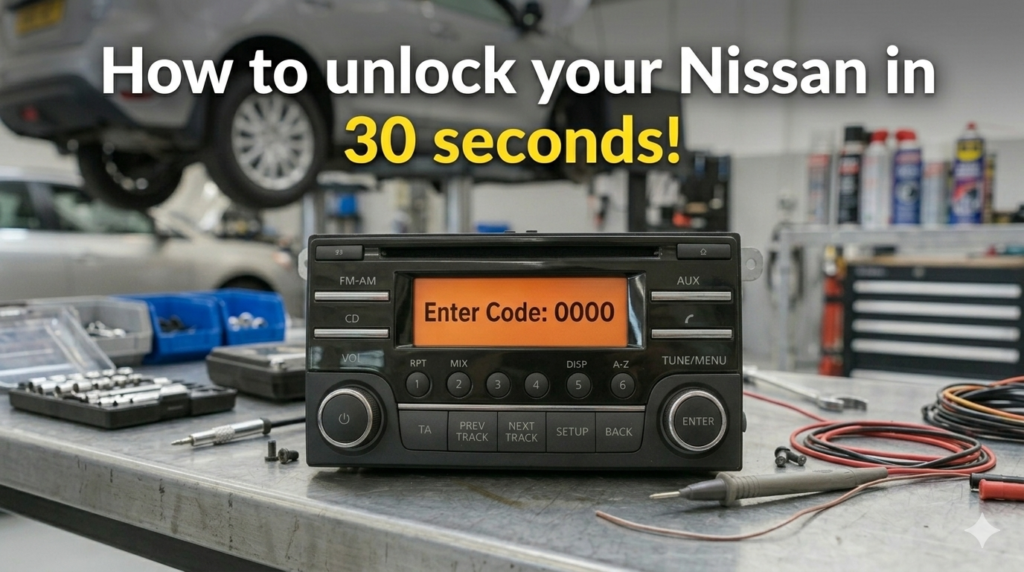
It is crucial not to enter random codes. Too many incorrect attempts can lead to a permanent lockout (the “Wait” or “Locked” status), which is much harder to fix.
Step 2: Focus on Nissan Daewoo Systems
Most modern Nissan vehicles (produced between 2010 and 2020) are equipped with Nissan Daewoo infotainment units. These are the touch-screen systems commonly found in popular models like the Qashqai, Juke, Note, and Micra.
While this guide focuses on the Daewoo hardware, it is important to note that this unlocking method also applies to almost all Nissan radio models, including those made by Blaupunkt, Clarion, or LCN.
Step 3: Obtaining Identification Details
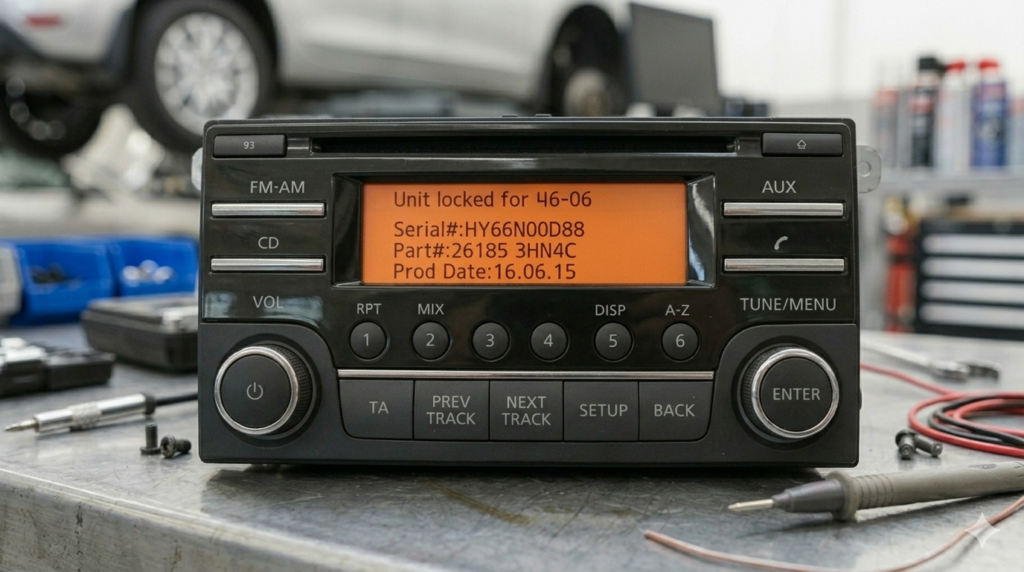
To generate the correct code, you need specific information from your device. For Nissan Daewoo units, these details usually appear on the screen after entering three wrong codes. If they don’t appear, you can find them on the label attached to the radio’s casing (if you choose to remove it from the dashboard).
The critical information includes:
- Serial Number: Usually starts with letters like DW (for Daewoo) or HY.
- Part Number: The technical reference for the hardware.
- Prod Date: The manufacturing date.
Step 4: Generating the Code Online
Once you have these details, the process is extremely fast. The most efficient method is using the Radiocodegenerator.com platform, which features a vast database specifically calibrated for Nissan’s security algorithms.
Follow these steps:
- Access the dedicated page: Nissan.
- Enter your Serial Number y Part Number in the corresponding fields.
- Click the generate button, and you will receive your unique 4-digit code.
Step 5: Entering the Code
After receiving the code (e.g., 0000), use the radio’s numeric keys to enter it. Typically, you press key 1 several times for the first digit, key 2 for the second, and so on. Finalize the process by pressing ENTER, the volume knob, or the OK button.
Conclusion
Unlocking your Nissan radio doesn’t have to be complicated or overpriced. Whether you have a Nissan Daewoo touch-screen or a standard factory radio, with the right data and the help of Radio Code Generator, you’ll have your favorite music back in your speakers in less than 30 seconds.
Safe driving and may your dashboard stay error-free!