
Leave a Comment / Renault Radio Systems / By Radiocodegenerator.com
Is your Renault displaying “CODE”, “0000”, or “ERROR” on the radio screen? This usually happens after a battery replacement, battery disconnection, or when the radio is removed from the vehicle.
If your vehicle is equipped with a Renault Tuner List radio, there’s no need to panic or visit a dealership. You can easily retrieve your Renault radio code using the número de serie and unlock your radio in just a few minutes.
In this complete guide, we will walk you through the simple and safe process of unlocking your Renault Tuner List radio.
Why Is My Renault Tuner List Radio Locked?
Your Renault Tuner List radio may request a code for several reasons:
- Battery disconnected
- Battery replaced or discharged
- Radio removed from dashboard
- Fuse replacement
- Vehicle purchased second-hand
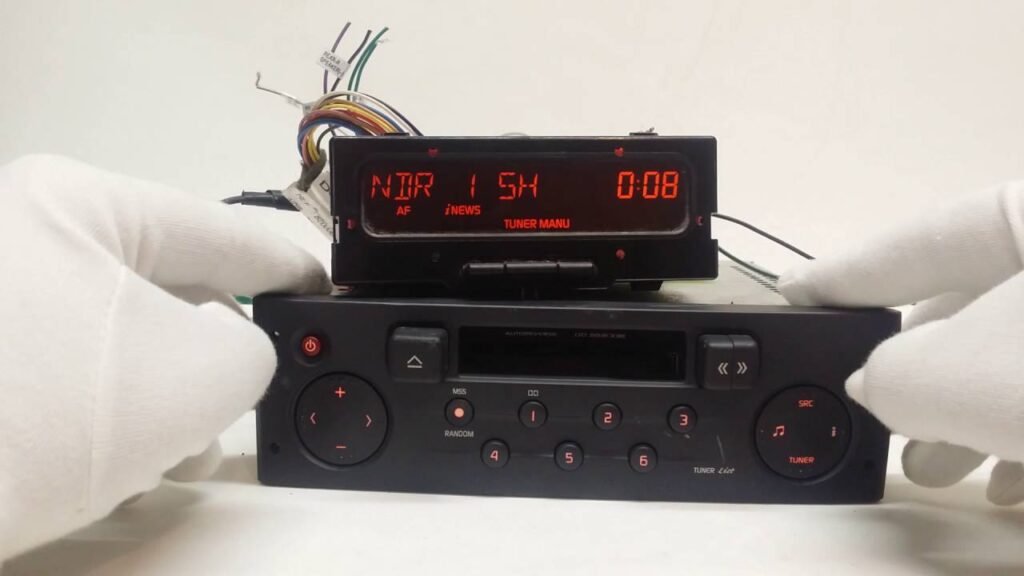
This is a normal security feature designed to prevent theft. Once power is lost, the radio automatically requests the security unlock code.
What Is Renault Tuner List?
The Renault Tuner List is one of the most common factory-installed radios used in Renault and Dacia vehicles between 2000 – 2012.
These radios were manufactured by:
- Philips
- VDO
- Blaupunkt
- Bosch
They typically display:
- Tuner List
- Renault
- CODE
- 0000
on the radio screen.
Renault Models With Tuner List Radios
This radio is commonly found in:
RENAULT MODELS
- Renault Clio
- Renault Megane
- Renault Scenic
- Renault Laguna
- Renault Kangoo
- Renault Trafic
- Renault Master
- Renault Modus
- Renault Twingo
DACIA MODELS
- Dacia Logan
- Dacia Sandero
- Dacia Duster (early models)
- Dacia Solenza
How To Find Renault Tuner List Serial Number
There are 2 easy methods to find your serial number:
Method 1 — On Radio Display
- Turn radio OFF
- Press and hold button 1 + 6
- Turn radio ON
- Serial number appears on screen
Ejemplo:
- T0V435
- D682
- RN123F456789
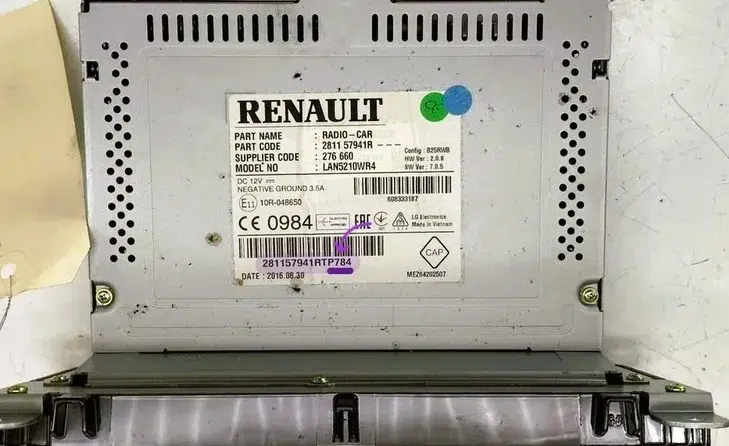
You only need the last 4 digits/characters in most cases.
Method 2 — Remove Radio From Dashboard
If the serial doesn’t appear:
- Remove radio using extraction keys
- Check sticker on the side or back
- Find serial number starting with:
Common prefixes:
- T
- RN
- BP
- 8200
- 7700
Example serials:
- T0V435
- D682
- 8200XXXXXXX
- RNXXXXXXXX
How To Unlock Renault Tuner List Radio
Follow these simple steps:
- Find serial number
- Enter serial number into generator
- Get unlock code instantly
- Enter code into radio
- Enjoy your music again 🎵
Get Renault Tuner List Code Instantly
You can generate your Renault radio code here:
👉 https://radiocodegenerator.com
👉 Renault Page: https://radiocodegenerator.com/renault-radio-code-generator/
Fast • Safe • Instant Delivery
How To Enter Renault Tuner List Code
- Turn radio ON
- Display shows 0000
- Use buttons 1-4 to enter code
- Para 6 o OK to confirm
Your radio will unlock immediately.
Important Tips
- Do NOT enter wrong code multiple times
- After wrong attempts, radio may lock temporarily
- Wait 30-60 minutes if locked
Final Words
Unlocking your Renault Tuner List radio is quick and easy. You don’t need to visit a dealer or remove complicated parts. Just find your serial number and generate your unlock code instantly.
Get your Renault radio code now and enjoy your music again in minutes.
Related Renault Radios
- Renault Update List
- Renault Radiosat 6000
- Renault Cabasse
- Renault Arkamys
- Renault MediaNav