
Leave a Comment / Chrysler-Fiat Audio Systems: Unlock and Decode / By Radiocodegenerator.com
Is your Chrysler, Dodge, or Jeep displaying “ENTER PIN” o “RADIO LOCKED” on the Uconnect screen? This common security interruption usually occurs after a battery replacement, a jump-start, or a blown fuse. If your vehicle is equipped with a Continental head unit (identifiable by the T00AM serial prefix), you can retrieve your factory PIN in minutes without a dealership visit.
In this technical guide, we will show you how to identify your Continental hardware ID and generate your unlock code safely online.
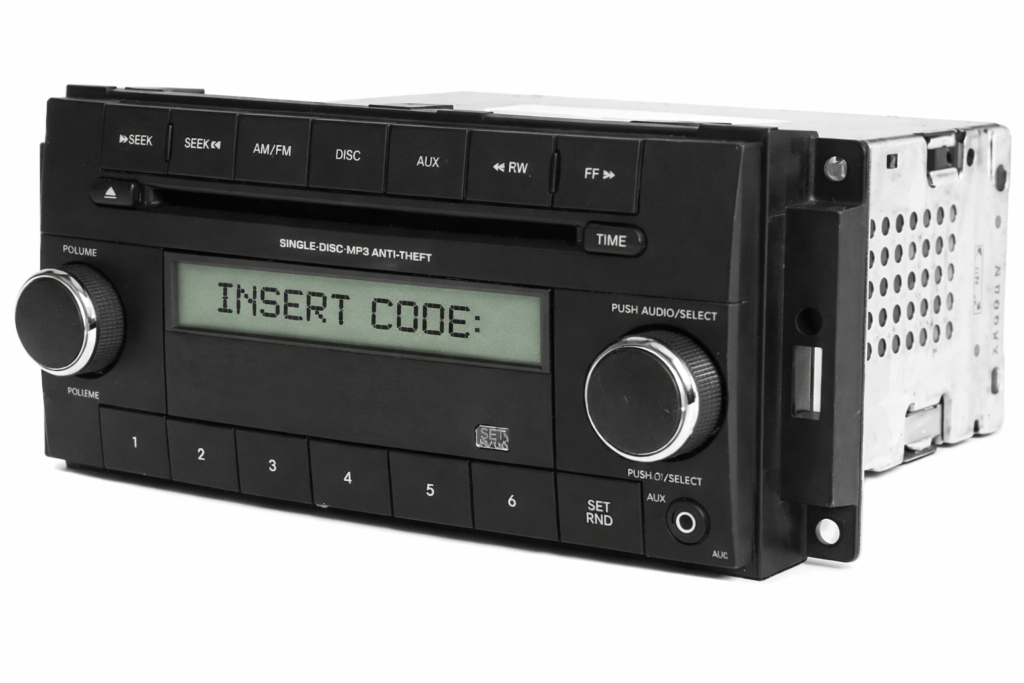
Why is my Chrysler Radio Locked?
Locked Radio – Chrysler Continental Uconnect
Modern Chrysler Group vehicles (FCA) utilize an anti-theft “handshake” between the radio and the Body Control Module (BCM). When power is lost, this sync is broken. To reactivate the unit, the system requires a 4-digit PIN that is unique to the radio’s internal serial number, not the vehicle’s VIN.
Step 1: How to Locate Your Continental Serial Number
For the T00AM series (found in the Uconnect 5.0 and 8.4 systems), the serial number is printed on a thermal label on the rear of the chassis.
How to remove the unit:
- Remove the Bezel: Use a plastic pry tool to gently snap off the dashboard trim surrounding the screen.
- Unscrew the Mounts: Use a 7mm socket or a Phillips screwdriver (depending on the specific model, e.g., RAM vs. Chrysler 200) to remove the 4 screws.
- Check the Label: Pull the unit forward. You do not need to disconnect the wiring. Look for the white sticker with the Chrysler Pentastar logo.
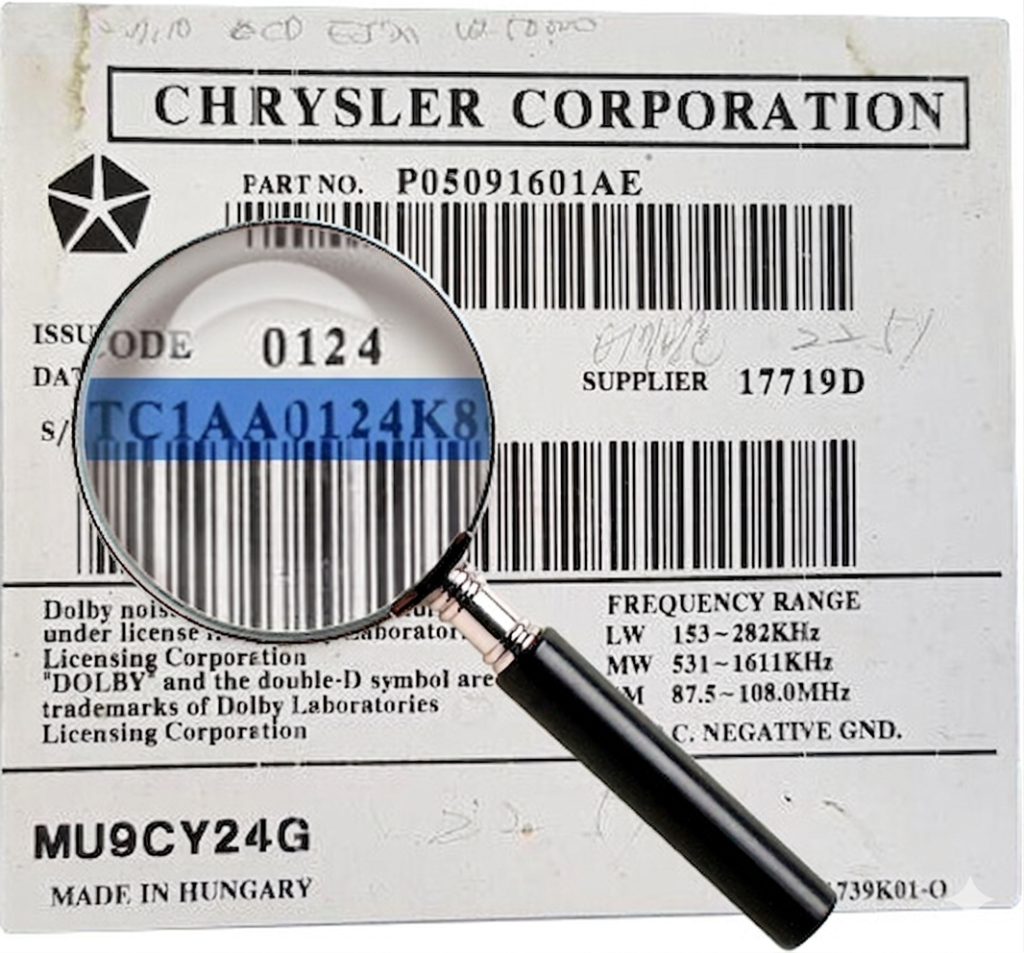
What to look for: The serial number is a long alphanumeric string. You are looking for the section starting with T00AM.
- Example Serial:
T 00 AM 195 1 T5289 - Example Supplier Code :
42774(Continental)
Step 2: Get Your Chrysler Unlock Code Online
Once you have the T00AM serial number, you can bypass the dealership’s waiting list.
- Navigate to the [ Chrysler Radio Code Retrieval ] page on Radiocodegenerator.com.
- Enter your T00AM serial number exactly as it appears on the sticker.
- Provide your email address for instant digital delivery.
- After a secure checkout, your unique 4-digit PIN will be generated from our Continental database and sent to your inbox instantly.
Step 3: How to Enter the Code Correctly
Entering the code on a Chrysler Uconnect system is straightforward as it uses a digital touchscreen interface.
- Turn the ignition to the “ACC” o “ON” position.
- A 10-digit keypad (0-9) will appear on the screen with the message “Enter Radio Anti-Theft Code”.
- Type your 4-digit PIN.
- The system will verify the code. Once the 4th digit is entered, the radio will instantly unlock and return to the home screen.
Frequently Asked Questions (FAQ)
1. My radio says “Please Wait” or “Lockout” – What should I do? If too many incorrect attempts are made, the Continental unit enters a security “cool-down” mode. You must leave the ignition ON and the radio powered for 30 to 60 minutes. Once the timer expires, the keypad will reappear.
2. Can I get the code using my VIN? The VIN (Vehicle Identification Number) is often unreliable because many Chrysler vehicles have had radio swaps or warranty replacements. The T00AM serial number from the unit itself is the only 100% accurate way to generate a working PIN.
3. Which Continental models are supported? Our database supports all Chrysler/Fiat Continental units, including:
- Uconnect 5.0 (RA2) – Small screen
- Uconnect 8.4 (RA3 / RA4) – Large touchscreen
- VP2 and VP4 Units
- Serials starting with T00AM, TM9, TQ1, or A2C.
Ready to get your Uconnect back online?
Don’t drive in silence. Visit RADIOCODEGENERATOR.COM and get your Chrysler Continental Radio Code now!