
When your Volkswagen radio locks itself after a battery disconnect or power issue, it will ask for a special security code before it plays again. Until you enter that code, the radio stays disabled and you get no sound. The easiest way to solve this today is to recover the code online, which is both fast and inexpensive. In the steps below, you’ll see how to find your radio serial number and request the correct code, with RadioCodeGenerator.com recommended as a quick, low-cost option when the code isn’t printed in your owner’s manual.
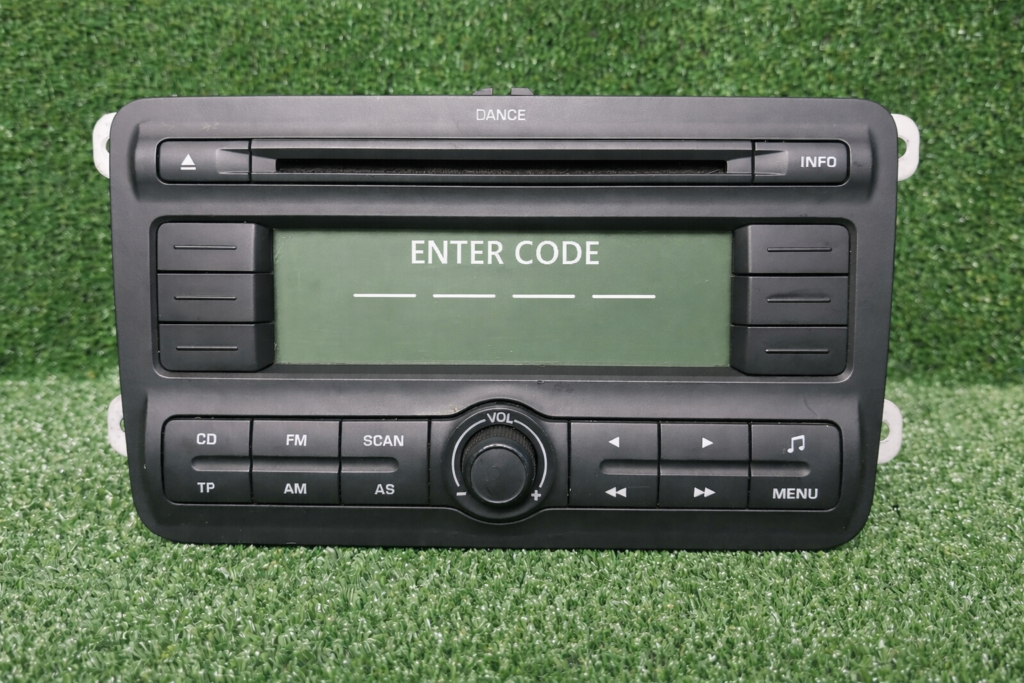
Many Volkswagen radios include a security system that locks the unit whenever power is lost, such as after a battery change. This helps deter theft, but it becomes a hassle if you don’t have the unlock code. When the display shows messages like “SEGURO” o “CODE”, the radio is asking for that specific security code before it will work again.
Step 1: What you need first
Before you can unlock the radio, prepare a couple of key details:
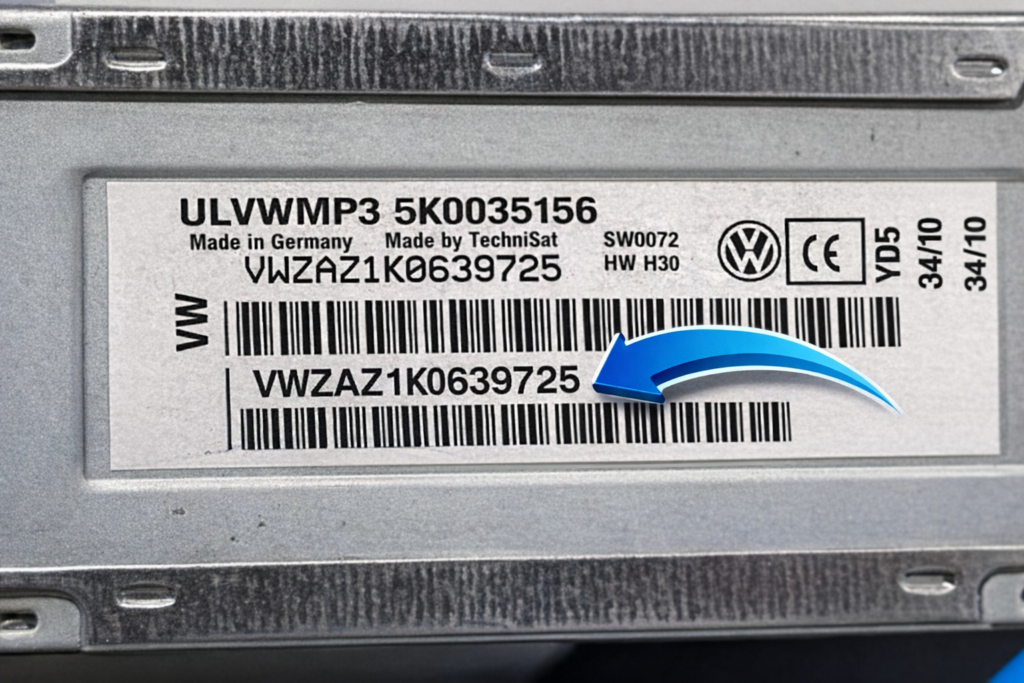
- Radio serial number – the unique ID of the radio, used to generate the unlock code. It’s normally printed on a label on the unit itself, so you may need to remove the radio from the dashboard to see it.
Step 2: Find the radio serial number
To get the serial number of your Volkswagen radio:
- Turn the radio on – you should see “SAFE” or “CODE”, which means it’s locked.
- Gently remove the radio from the dashboard (using the proper tools for your model).
- Look for the label on the side or back of the unit and write down the full serial number exactly as shown.
Step 3: Get your Volkswagen radio code online
Once you have the serial number, you can generate the code quickly online:
- Go to RadioCodeGenerator.com in your browser, then open the Modelos section and select Volkswagen:
- Choose Volkswagen as the brand and fill in the required details (radio serial number, and VIN if requested).
- Click the button to generate the code – in a few seconds you’ll receive the correct unlock code for your radio.
Step 4: Enter the unlock code in the radio
Now you can unlock the radio:
- Switch the radio on so it shows “SAFE” or “CODE.”
- Use the preset buttons to enter the four‑digit code (button 1 changes the first digit, button 2 the second, etc., depending on your model).
- Confirm the code with the appropriate key (often “Scan,” “OK” or a long press on a preset). If the code is correct, the radio will unlock and start working normally.
Why use RadioCodeGenerator.com?
- Fast – you get the code in seconds instead of waiting for a dealer.
- Low cost – much cheaper than most dealership or third‑party options.
- Simple – clear form, no complicated steps, suitable even if you’re not very technical.
- Trusted – designed specifically for car radio codes, so you get the right code the first time.
Extra tips
- Always double‑check the VIN and serial number before requesting a code, to avoid mistakes.
- Save the unlock code somewhere safe (in the car manual, in a note on your phone, or in your email) for the next time the battery is disconnected.
- If you’re unsure how to pull out the radio or enter the code, check your Volkswagen owner’s manual or look up a model‑specific guide.
Short closing version
Unlocking a Volkswagen radio doesn’t need a dealer visit or a big bill. With the radio serial number, you can request the correct code online through RadioCodeGenerator.com and have your radio working again in just a few minutes.