
Leave a Comment / Ford Radio Systems / By Radiocodegenerator.com
Leave a Comment / Blaupunkt 6000 CD Unlock Guide / By Radiocodegenerator.com
Is your Ford radio showing “CODE”, “LOCKED”, or “ENTER CODE”? This usually happens after disconnecting the battery, replacing a fuse, or performing electrical work on your vehicle.
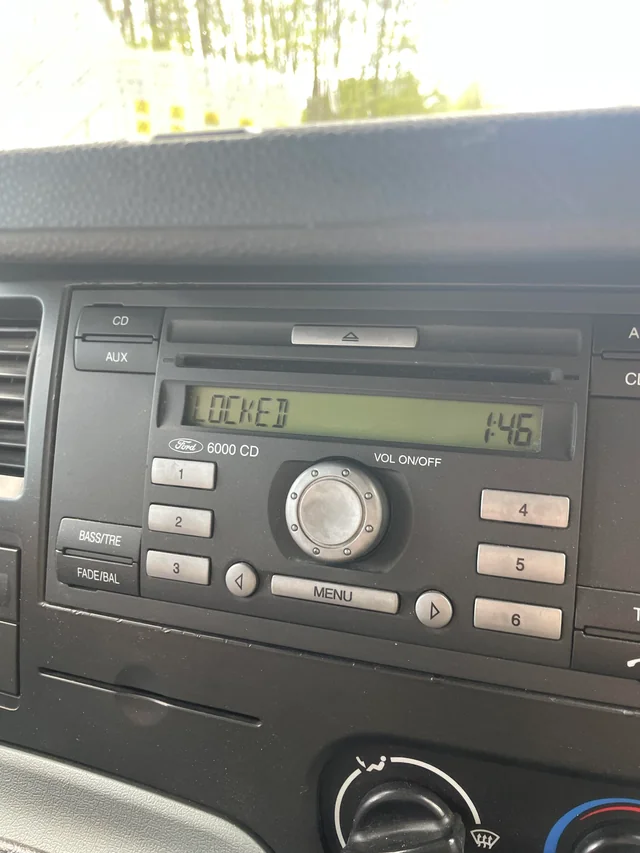
If your car is equipped with a Blaupunkt 6000 CD radio, there’s no need to visit a dealership or pay high service fees. You can unlock your radio quickly using just the serial number.
In this complete guide, we’ll show you how to retrieve your Blaupunkt 6000 CD radio code in just a few simple steps — and get your music back in minutes.
Why is My Blaupunkt 6000 CD Radio Locked?
Ford radios like Blaupunkt 6000 CD include an anti-theft protection system.
When power is interrupted — for example:
- Battery disconnected
- Dead battery
- Blown fuse
- Radio removed from vehicle
The radio automatically locks and displays:
- CODE
- LOCKED
- ENTER CODE
- WAIT
To unlock the unit, you must enter the correct 4-digit radio code, which is unique to your radio’s serial number.
Step 1: How to Find Your Blaupunkt 6000 CD Serial Number
Unlike some modern Ford radios, the Blaupunkt 6000 CD serial number is not always displayed on the screen. You may need to remove the radio to locate the label.
Method 1: Display Serial Number on Screen (If Available)
Some 6000 CD radios allow you to display the serial number:
- Turn the radio ON
- Press and hold Buttons 1 + 6
- The screen will cycle through information
- Look for serial number like:
- V123456
- M123456
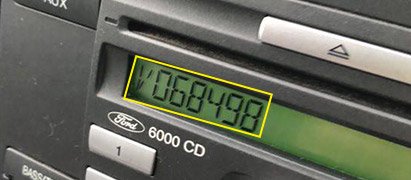
Write down the serial number exactly as shown.
Method 2: Remove the Radio
If the serial number does not appear on screen:
How to Remove the Radio
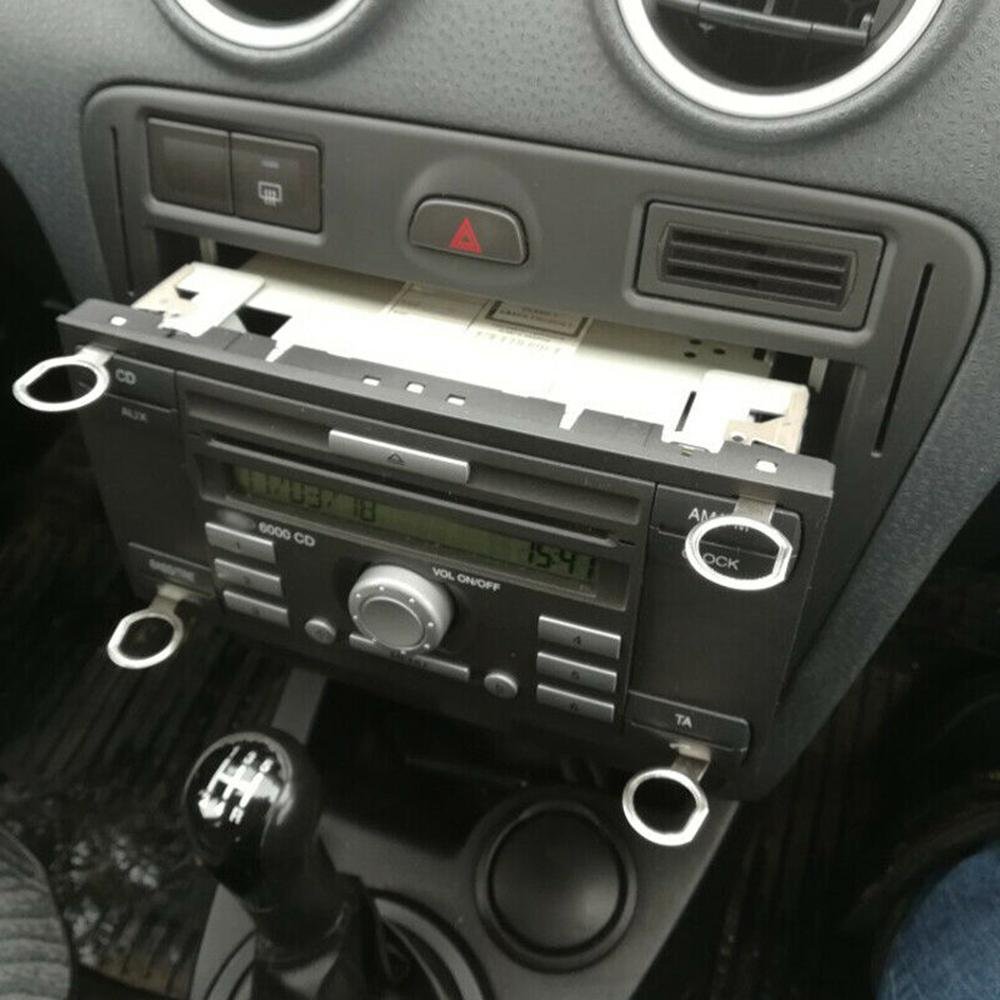
Most Ford 6000 CD radios require radio removal keys:
- Insert the 4 radio removal keys into the holes
- Push until they click into place
- Gently pull the radio toward you
- Disconnect cables carefully
Where to Find the Serial Number
Look for a white label on the top or side of the radio chassis.
Blaupunkt 6000 CD serial numbers usually look like:
- V123456
- M123456
- BPxxxx xxxxxxx
Example:
Model: 6000 CD
Serial: V123456
Manufacturer: Blaupunkt
Make sure to write down the full serial number.
Step 2: Get Your Blaupunkt 6000 CD Unlock Code Online
Once you have your serial number, you can retrieve your radio code instantly.
Here’s How:
- Go to Radiocodegenerator.com
- From the models menu select Ford or Blaupunkt
- Enter your serial number
- Enter your email address
- Complete secure checkout
Your unique radio unlock code will be generated and sent to your email within minutes.
No dealership visit. No waiting days.
Step 3: How to Enter the Code (Blaupunkt 6000 CD)
Entering the code is simple.
Enter the code:
Use preset buttons 1-4 to enter your code:
Example: Code 3521
- Press button 1 until 3 appears
- Press button 2 until 5 appears
- Press button 3 until 2 appears
- Press button 4 until 1 appears
Confirm the code:
Press Button 5 to confirm
The radio should unlock immediately.
Frequently Asked Questions (FAQ)
My Radio Shows “LOCKED” — What Does It Mean?
If you enter the wrong code multiple times, the radio locks temporarily.
To fix this:
- Turn ignition ON
- Turn radio ON
- Leave it for 30-60 minutes
- CODE will appear again
Do not turn off the radio during this time.
Can I Get the Code from VIN?
Sometimes yes — but not always reliable.
If the radio was replaced in the past, the VIN-based code may not work.
Using the serial number from the radio itself is always the safest and most accurate method.
Which Vehicles Use Blaupunkt 6000 CD?
These radios were commonly installed in:
- Ford Focus
- Ford Fiesta
- Ford Mondeo
- Ford Transit
- Ford Fusion
- Ford C-Max
- Ford Galaxy
Manufactured mainly between:
2002 — 2012
Supported Blaupunkt 6000 CD Models
Our database supports:
- Blaupunkt 6000 CD
- Ford 6000 CD RDS
- Ford 6000 CD MP3
- Ford 6000 CD Blaupunkt
- Ford 6000 CD V Series
- Ford 6000 CD M Series
Ready to Unlock Your Blaupunkt 6000 CD Radio?
Don’t drive in silence.
Visit RADIOCODEGENERATOR.COM and retrieve your Blaupunkt 6000 CD radio code instantly.
Get back to your music in minutes. 🔓🎵